
Fusion Studio 21 for macOS
Description
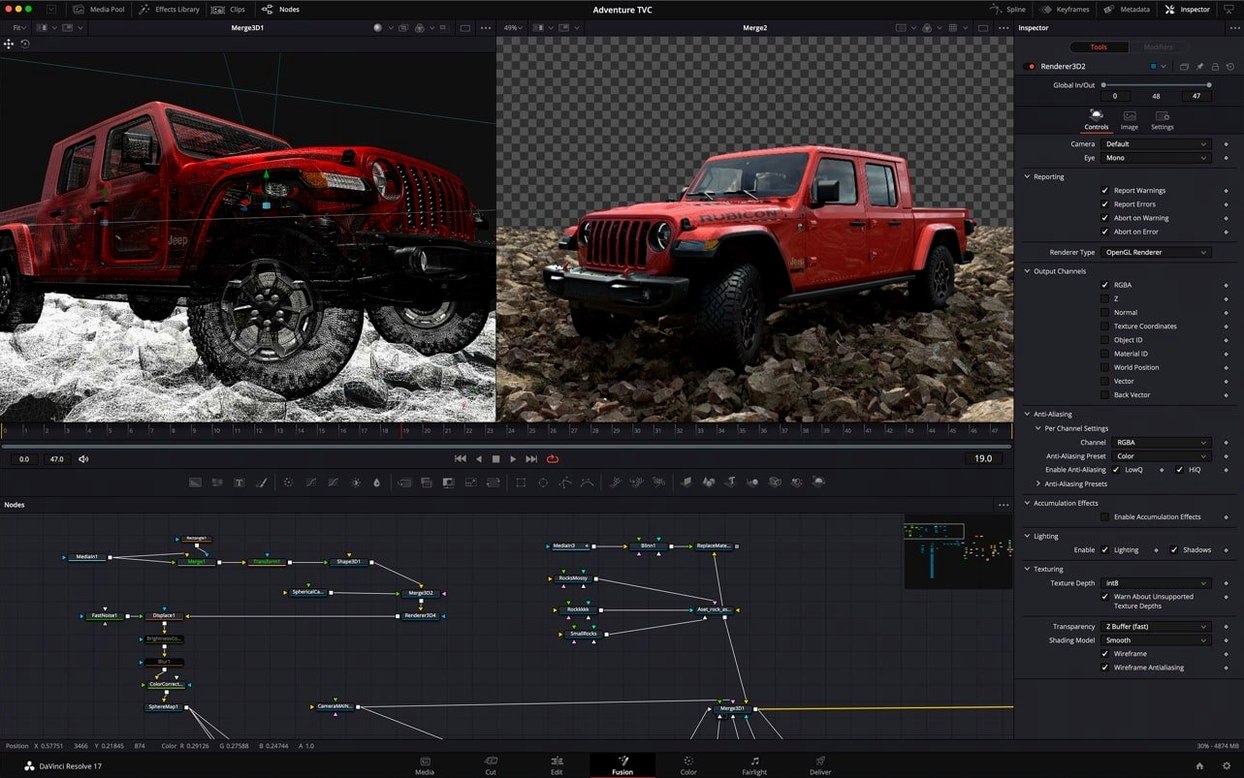
You have a shot that needs a set extension, a title that should move like it has weight, or a 3D render that needs to sit in live-action footage. A stack of timeline tracks can get you only so far before you are fighting the interface. Fusion Studio 21 solves this with a node-based workflow. You build a tree of tools, each node doing one job, so you can see exactly how an image is being built and change any part of it without unpicking a dozen layers.
Start with a shape system
Open a new composition and go straight to the toolbar for custom vector shapes. You get ellipses, rectangles, polygons and stars, and you can combine them with Boolean operators. This is not just for masks. A polygon with a few keyframes becomes a whip-pan transition. A rectangle fed into a background node makes a lower-third strap that is resolution-independent. Drag effects from the library onto the node, watch the result in the viewer, and you learn the flow without reading a manual.
Save your first macro
Once you have a chain of nodes that does something useful — say, a relief map generator built from a few native tools — select them all and save the combined image as a macro. It appears in your library, ready to drag onto any other comp. It is the quickest way to build a personal toolkit. When you later open the same set-up in the Cut page using Fusion templates, you are not starting from scratch. You are just re-using work you already understood.
Fusion next to other compositors
After Effects runs on layers and a timeline. That feels familiar if you come from an editing background, but complex shots turn into pre-comp nesting puzzles. Fusion’s node graph is flatter by nature. You see the whole recipe at once. Nuke uses nodes the same way, and its 3D workspace and deep compositing outpace Fusion for high-end VFX pipelines. Yet Nuke demands a much steeper hardware and learning investment. Fusion gives you a genuine 3D environment, real GPU acceleration, and network rendering without the studio-scale overhead.
Apple Motion is snappy on the Mac and its real-time playback is hard to fault, but it stays in 2D space. If you need to project a texture onto geometry or place a camera in a scene, you hit a wall. Fusion Studio 21 sits between these worlds: deeper than Motion, friendlier than Nuke, with node logic that feels like a proper compositing tool.
A working session in the graph
You open a clean project and drop a Loader node to bring in a 30-second plate. The viewer updates in a quarter-second. You branch off a Camera3D node and set it to match the lens roughly — no need for a solve yet. A Shape3D node becomes a building block for a simple set extension, rotated into place in the 3D viewport.
Next, you drag a Text+ node into the graph and type the title. The spell-check underline catches a typo before you render. You connect it to a Merge3D, add a soft spotlight, and the text casts a shadow across the 3D shape. When the timeline plays back, the keyframe waveform display shows the audio peaks behind the animation. You nudge two keyframes so a movement lands on a beat, then right-click the finished branch and save it as a macro. Ten minutes later it is living on the Cut page as a Fusion template, ready for an editor to drop onto a different timeline.
Worth it if you want a node-based comp tool with genuine 3D and VR support without the complexity of Nuke.
Requirements
- macOS 14 or later
- Apple Silicon or Intel Mac
Comments 0
Sign in or create an account to leave a comment.
No comments yet…
If you’ve installed it, say how it went. Mention your Mac and macOS version — it helps the next person more than you’d think.