
Find Any File for macOS
Description
It runs on any Mac from OS X 10.11 El Capitan right up to the current macOS, on Intel and Apple Silicon machines. No special hardware needed — if your Mac boots, this will run.
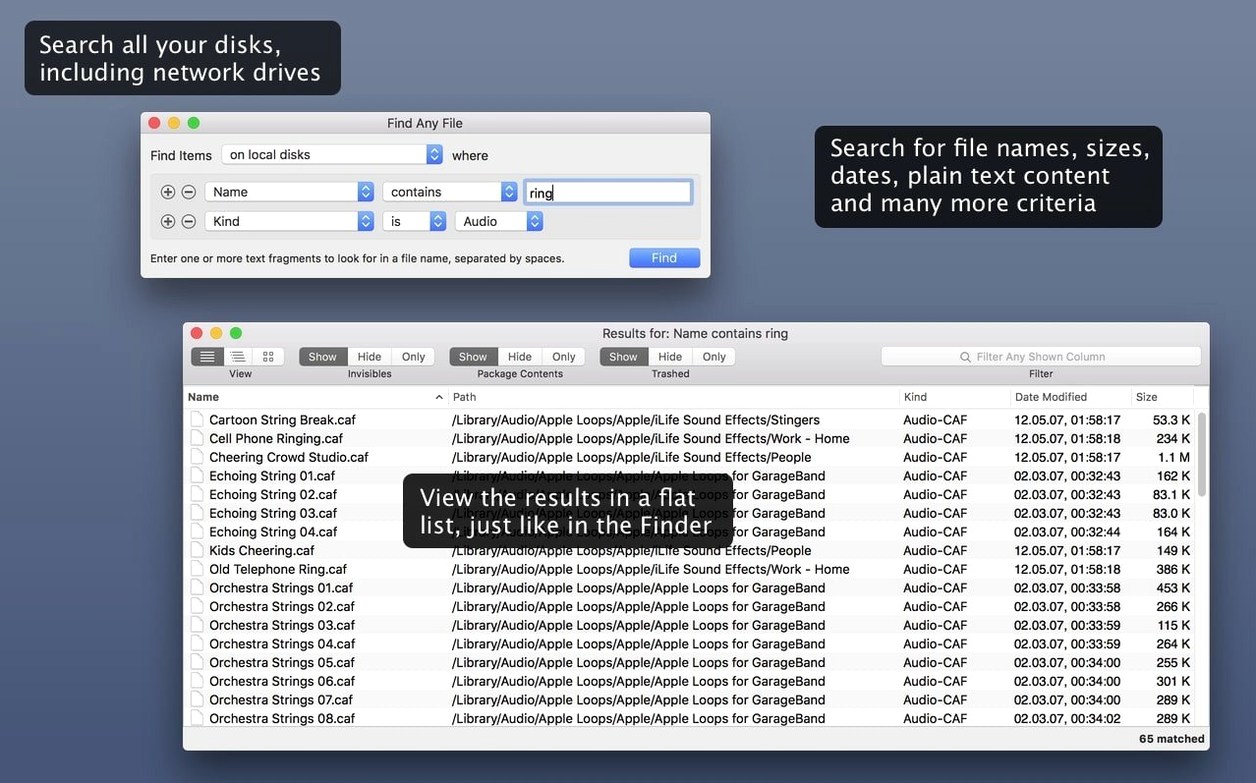
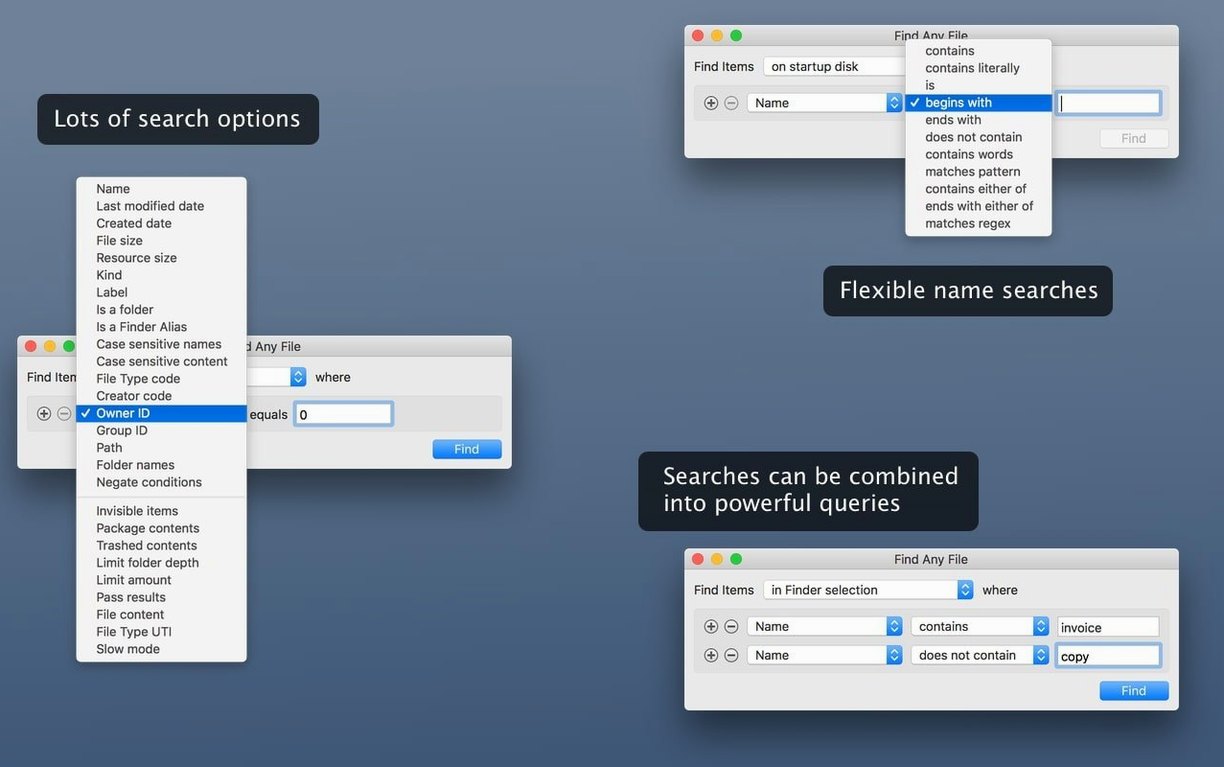
Version 2.6.1 keeps doing what it always did: reading the disk directory directly instead of leaning on Spotlight's database. That means it finds files on server volumes and drives Spotlight ignores. It won't search inside Word documents or emails — that's Spotlight's job — but it will locate files by name, extension, size, date, or plain text content.
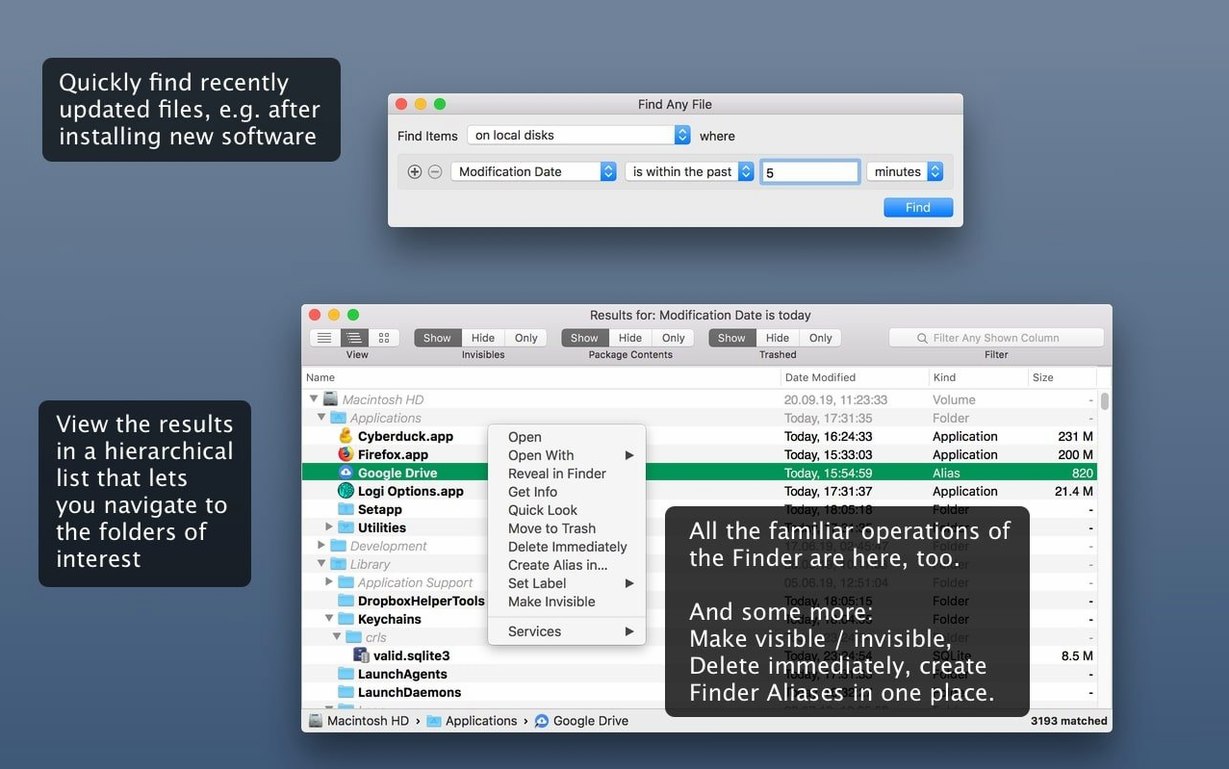
The 2.6 release added proper AppleScript support, so you can now script searches from other apps. Three new columns — Comments, Trashed, and Hidden — appeared in the results list, and comment matching became more reliable. Results still show in a hierarchical folder view, which makes it easier to see where things actually live.
It also digs into bundles and packages that the Finder treats as single files. If you need to pull an image out of a misbehaving app package, this is how you'd do it.
When Spotlight's index fails you
Spotlight is fast because it cheats. It keeps a pre-built index and skims that. Fine for everyday things — emails, PDFs, music. Useless when the index is stale, corrupted, or simply doesn't cover the volume you're searching. That's where Find Any File earns its keep. It walks the directory tree live, so it sees what's actually there right now.
EasyFind (free, from DEVONtechnologies) also searches without an index. It does boolean operators and wildcards. But it doesn't show results in a folder hierarchy — you get a flat list, which gets messy when you're hunting through a drive with 40,000 items. It also won't touch invisible folders without extra fuss.
HoudahSpot is a different beast entirely. It builds on Spotlight's index but gives you far more control — nested criteria, saved templates, preview panes. Powerful, but it's still at the mercy of Spotlight's database. If Spotlight hasn't indexed that external NTFS drive, HoudahSpot sees nothing. Find Any File just gets on with it.
For the specific job of find any file mac download searches on unindexed volumes, FAF is the blunt instrument that works. No index, no waiting for mds to finish chewing CPU, no wondering why a file that's clearly there doesn't appear in results.
Plain-text search that feeds your editor
Think of it as plumbing, not decor. You won't use it every day. You'll use it when something's gone missing and Spotlight shrugs.
It pairs well with BBEdit or CotEditor for the plain-text search side. Run a FAF search for files containing a string of text, then open the results in a real editor to see context. It also works nicely with Path Finder — use FAF to locate files across several network shares, then right-click a result and reveal it in Path Finder for heavy file management.
On the macOS side, Finder tags survive FAF searches just fine. You can search by Finder comment reliably since the 2.6.1 fixes. The Trashed column helps you spot files sitting in Trash folders on mounted external drives — something Finder's own search tends to skip. And since it respects Unix ownership and permissions, you can run it as a standard user without sudo and it'll only show what you're allowed to see.
A Real Workflow: Digging Out Stray Project Assets
Here's a scenario that comes up more often than it should. You've got a folder of client work from two years ago. The PDF proofs are there, the InDesign files are there, but a dozen linked images show as missing. You know the files exist somewhere on a network drive — they just got moved or renamed.
- Open Find Any File and point it at the network volume root.
- Set Name contains to
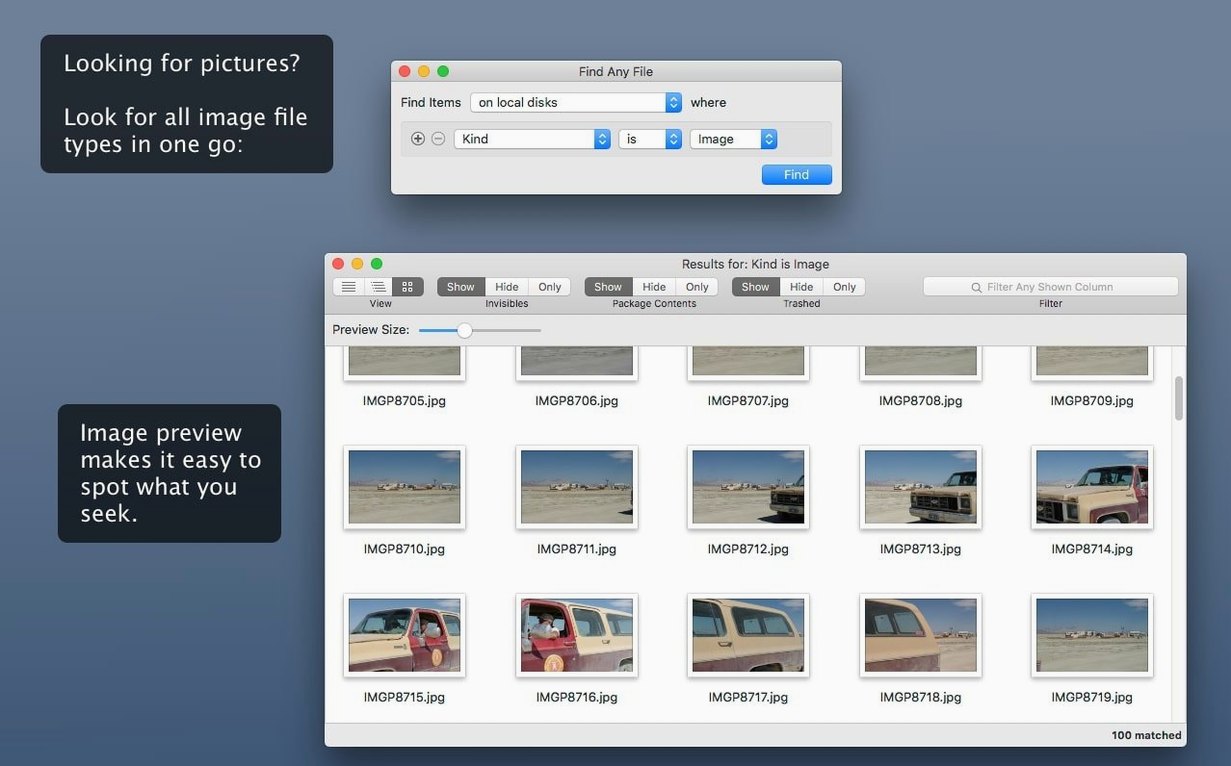
background-hero— the partial filename you remember. - Switch the Kind filter to Image so you're not drowning in text files.
- Hit search. Results appear in a folder tree within seconds, no indexing delay.
- Spot three candidates in different project subfolders. The hierarchical view shows exactly which client folder each one sits in.
- Select the best match, right-click, and choose Reveal in Finder. Relink it in InDesign.
If the filename was completely different but you remembered the project code, you'd switch to a Text content contains search. FAF reads the raw bytes, so it catches strings inside Photoshop metadata or SVG markup that Spotlight's importer might miss. It's not pretty, but it's thorough.
The AppleScript support added in 2.6 means you could wrap this into a folder action: drop a folder on a script, have FAF search for all images with missing InDesign links, and output a report. Not something you'd set up on a whim, but a real timesaver if you do asset wrangling regularly.
What’s new
Adds AppleScript support for automating searches.Adds Comments, Trashed, and Hidden columns to results.
Improves reliability of finding Finder comments.
Requirements
- macOS 10.11 or later
- Intel or Apple Silicon Mac
Comments 0
Sign in or create an account to leave a comment.
No comments yet…
If you’ve installed it, say how it went. Mention your Mac and macOS version — it helps the next person more than you’d think.