CapCut for macOS
Description
Version 9.3.0 is a maintenance release — ByteDance hasn't listed any new features this time round, so it's about stability fixes and keeping the app in shape on current macOS builds.
| Detail | Note |
|---|---|
| Developer | ByteDance |
| Mac support | Apple Silicon & Intel 64-bit |
| RAM | 4 GB works; 8 GB or more recommended |
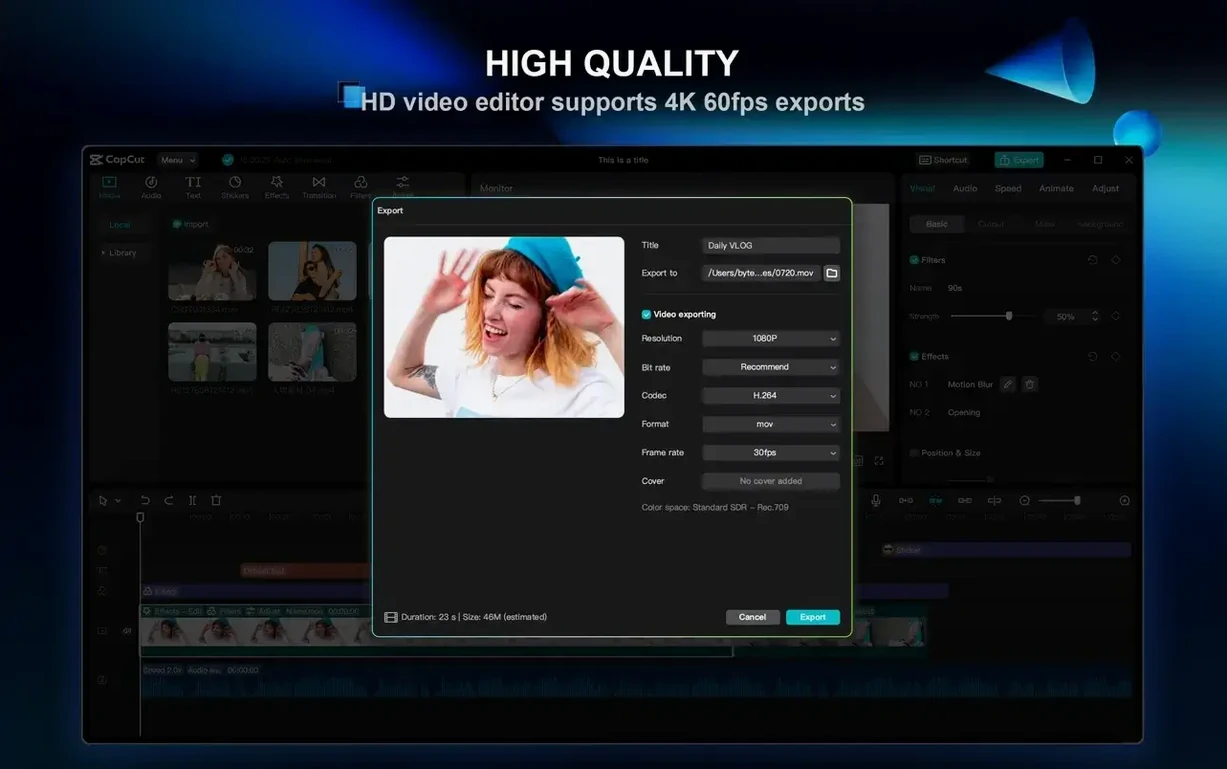
| Export ceiling | 4K at 60 fps |
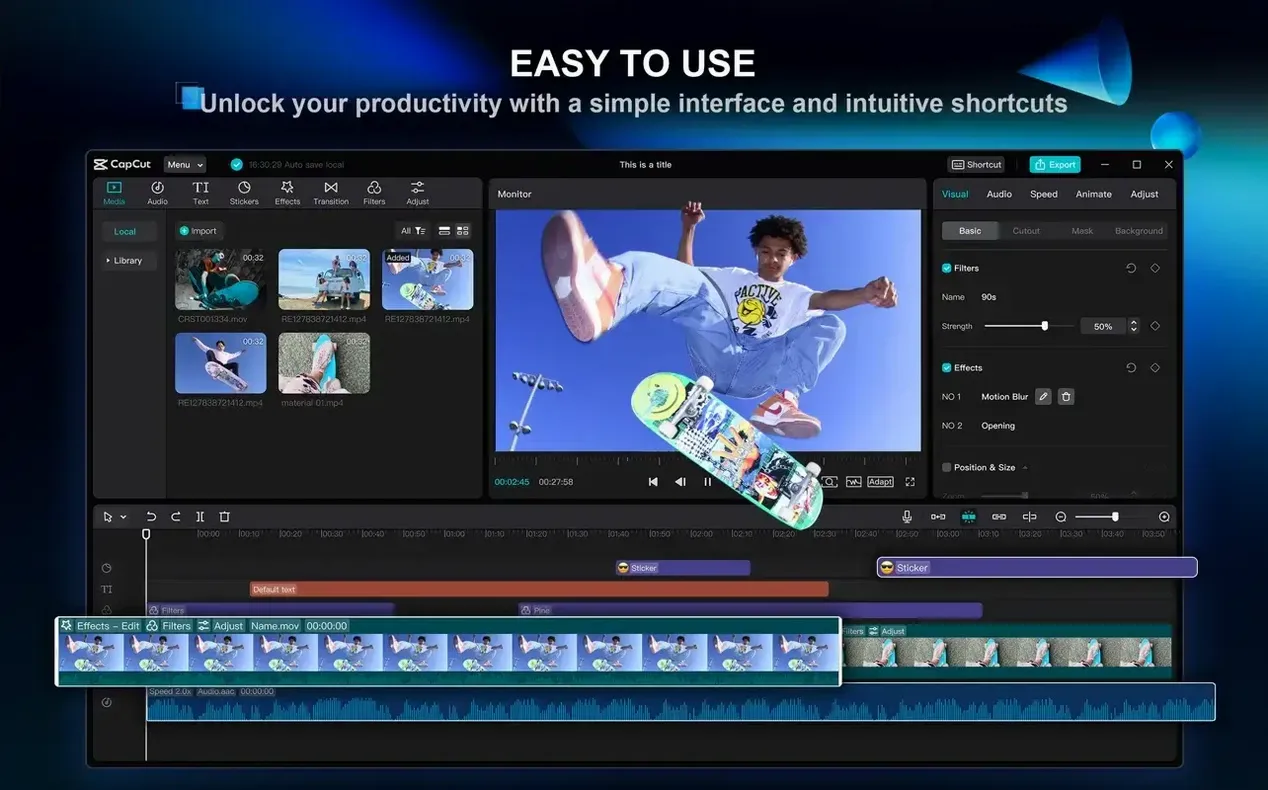
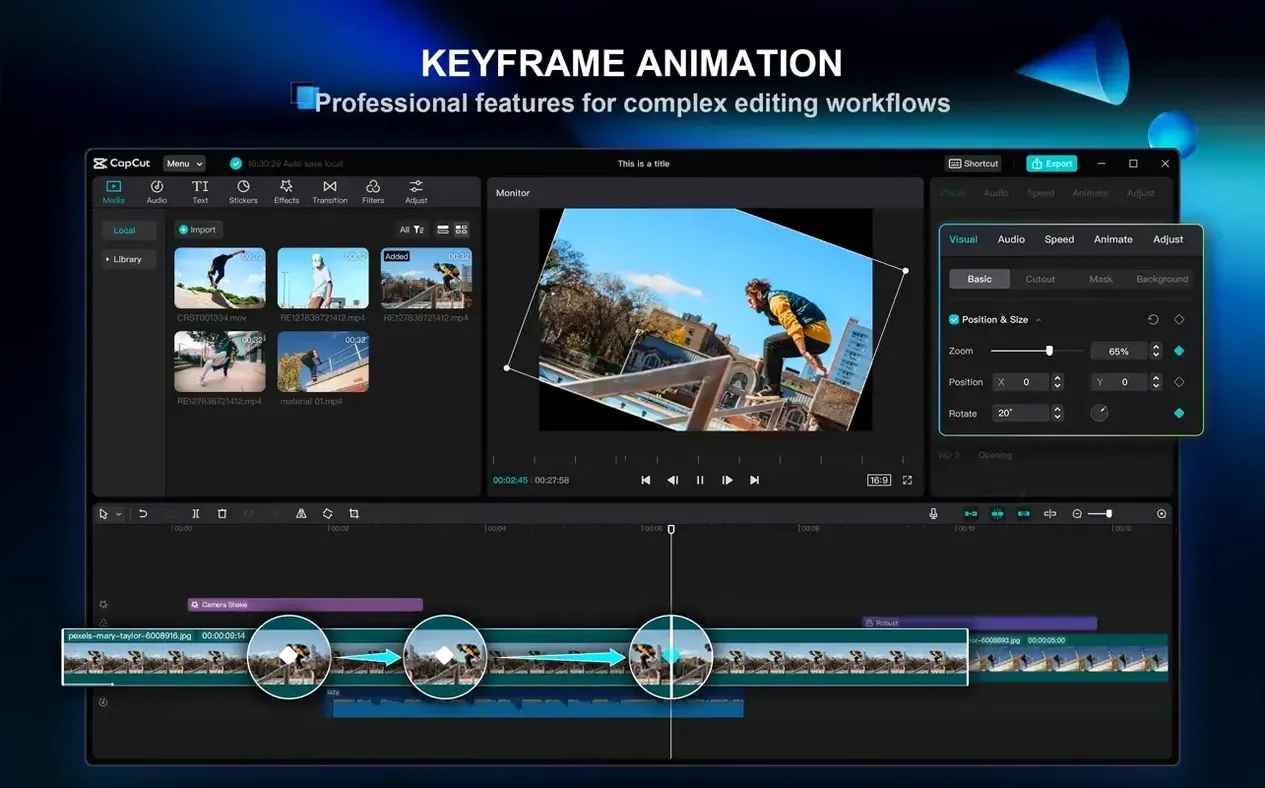
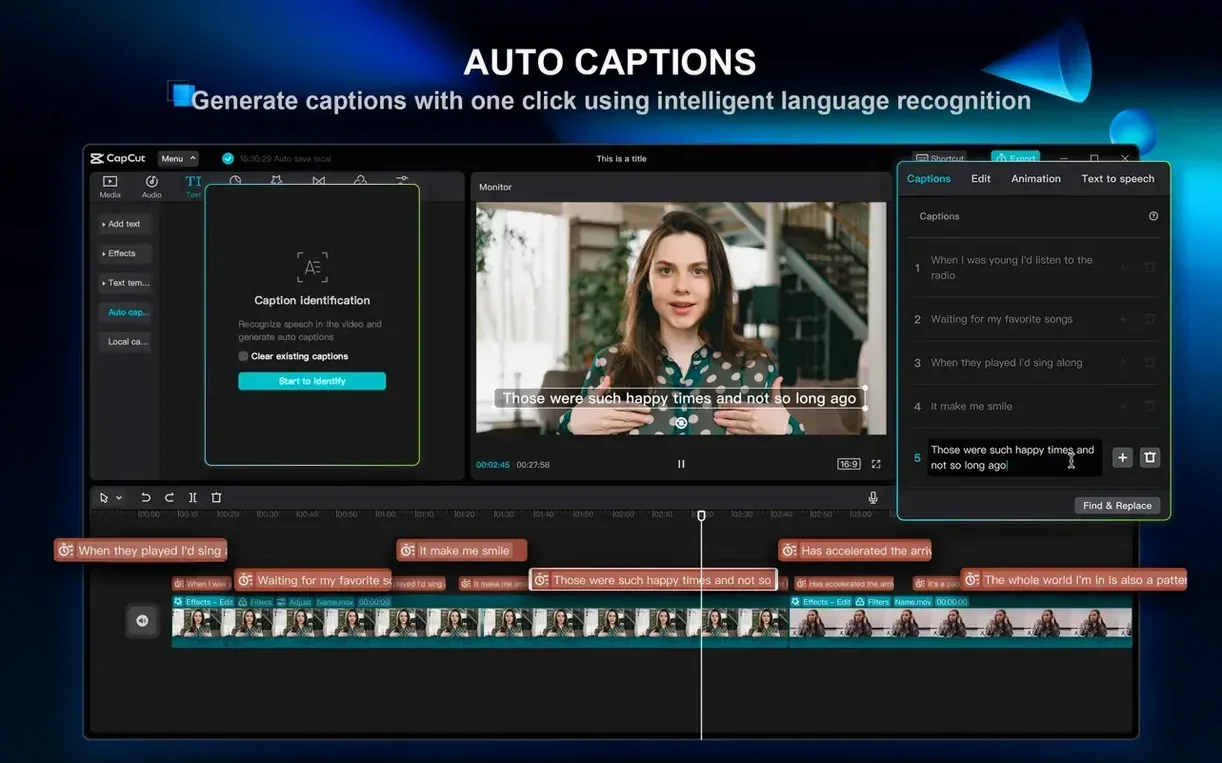
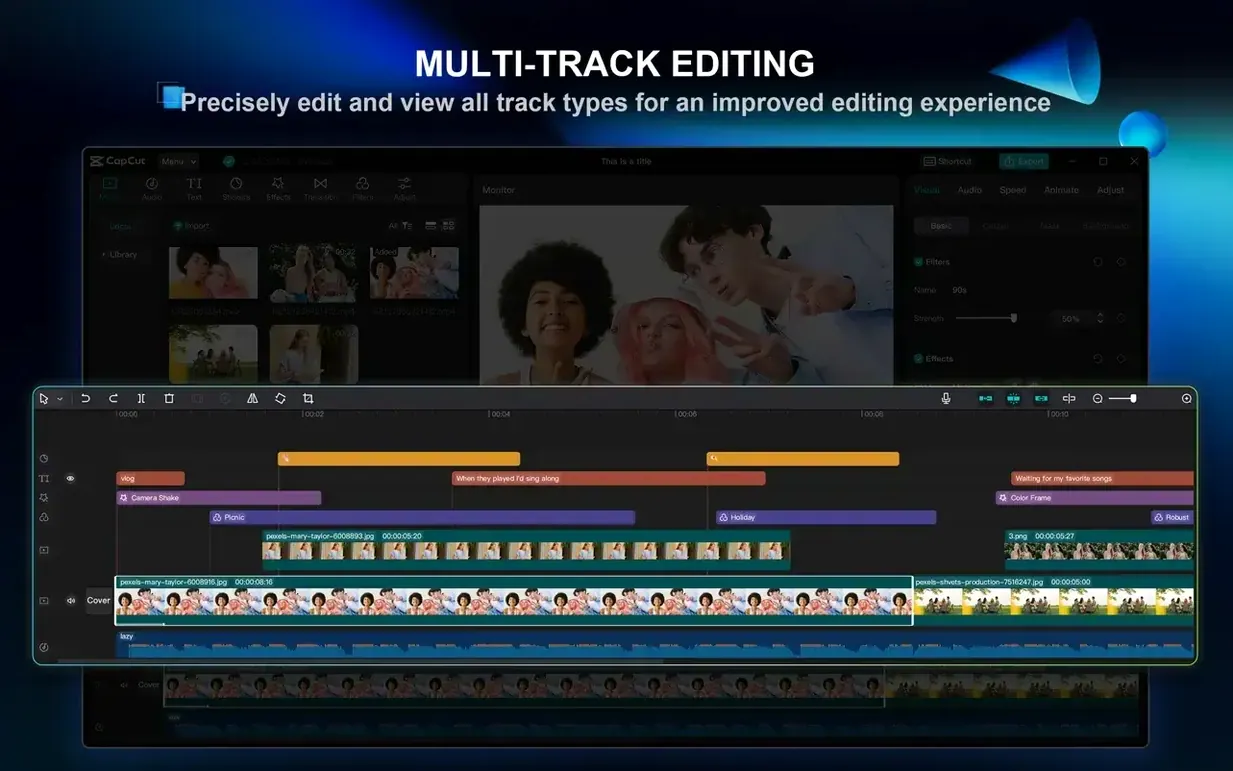
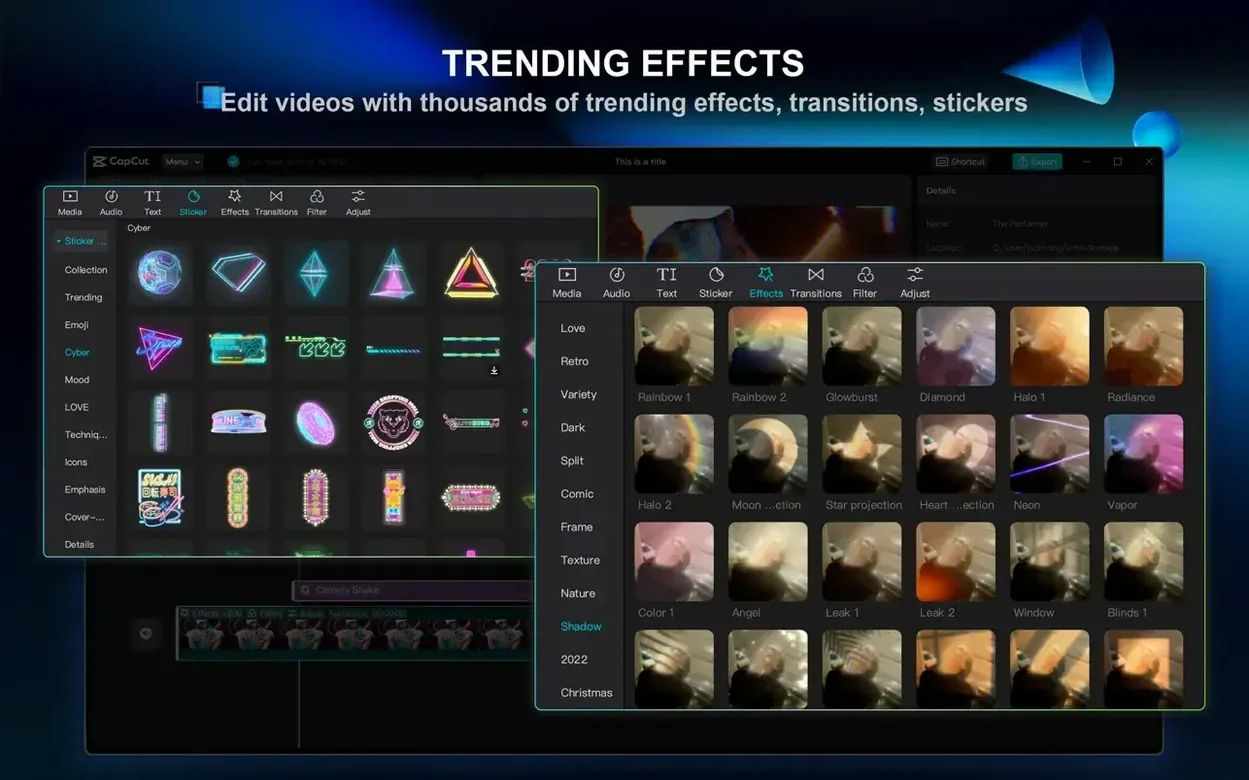
CapCut is a free desktop video editor built for people who want polished results without spending hours learning a timeline. Multi-track editing, clip splitting, and trimming are all here, but the app leans hard on its AI helpers. It can transcribe speech into subtitles automatically — handy for quick social cuts — and turn typed text into spoken narration with a choice of synthetic voices. If your Mac runs macOS 10.14 or later and has a bit of patience with 4 GB of RAM, it'll work. Give it 8 GB and it breathes easier. Export lands at up to 4K 60 fps, and the interface switches between two dozen languages, from Russian to Vietnamese. It's a practical tool for short-form video, vlogs, and social edits where speed matters more than frame-level control.
A TikTok creator's morning turn-around
Someone managing a beauty brand account wakes up to three raw product clips shot on a phone the night before. The brief: get a 28-second comparison reel live before 9 a.m. CapCut's auto-subtitles pull the voiceover into text in about fifteen seconds — English detected correctly, punctuation surprisingly close. A one-click background removal isolates the speaker, dropping a branded colour matte behind her. The whole thing, from import to export, takes under ten minutes. That's the use case where CapCut stops being a toy and becomes a shift tool.
Things you might walk straight past
A few small touches save clicks once you spot them. Hold Option while dragging a clip along the timeline and CapCut creates a duplicate instead of moving the original — useful when you need the same b-roll segment in two places. Right-click any text element and there's a Save as preset option; build your own caption style once, reuse it across projects instead of setting font and shadow every time. The JKL keys work for reverse-play-pause scrubbing, same as they do in heavier NLEs. And if you've been adjusting volume by dragging the rubber band on the audio track, try Command-clicking it to add a keyframe instead — quicker for dipping music under speech.
Podcast-to-social workflow, start to finish
Say you've got a 45-minute podcast recording and need a 60-second teaser for Instagram. Here's the sequence that gets it done efficiently.
- Drop the full audio or video file onto the timeline. Let CapCut transcribe it — the filler-word removal toggle sits in the transcription panel. Switch it on; "um", "uh", and awkward pauses vanish from the generated captions in one pass.
- Scrub through using the waveform as a guide. When you find a strong quote, set an in-point with I and an out-point with O, then lift that segment to a new track.
- Apply a 9:16 aspect ratio from the canvas controls. CapCut auto-reframes talking-head footage to keep the speaker centred — check the framing, but it's usually close enough on the first guess.
- Add a short animated text card with the episode title. The text templates include a Typewriter preset that reveals the words in time with the speaker — drop it, adjust the duration, done.
- Pick a royalty-free music clip from the built-in library, drop it on an audio track underneath, and Command-click the volume line to dip it during speech. Export at 1080p 30 fps; Instagram doesn't need more than that.
The whole job, including finding the clip, runs about five minutes. That's the real appeal: CapCut shrinks the gap between a raw recording and something publishable. Some editors grab a capcut mac full build just to skip the in-app asset downloads, though the standard install pulls everything it needs on first launch. Others hunting a torrent capcut on forums are usually after the same thing — a complete local install with all effects and transitions available offline from the start.
Requirements
- macOS 10.14 or later
- Apple Silicon or Intel 64-bit processor
- 4 GB RAM minimum (8 GB or more recommended)
FAQ
Does CapCut for Mac work on Intel and Apple Silicon?
Yes. The app runs natively on both Intel 64-bit Macs and Apple Silicon machines.
Can CapCut add subtitles automatically?
Yes. It can generate subtitles by transcribing speech directly from your video clips.
Comments 0
Sign in or create an account to leave a comment.
No comments yet…
If you’ve installed it, say how it went. Mention your Mac and macOS version — it helps the next person more than you’d think.