
BatFi for macOS
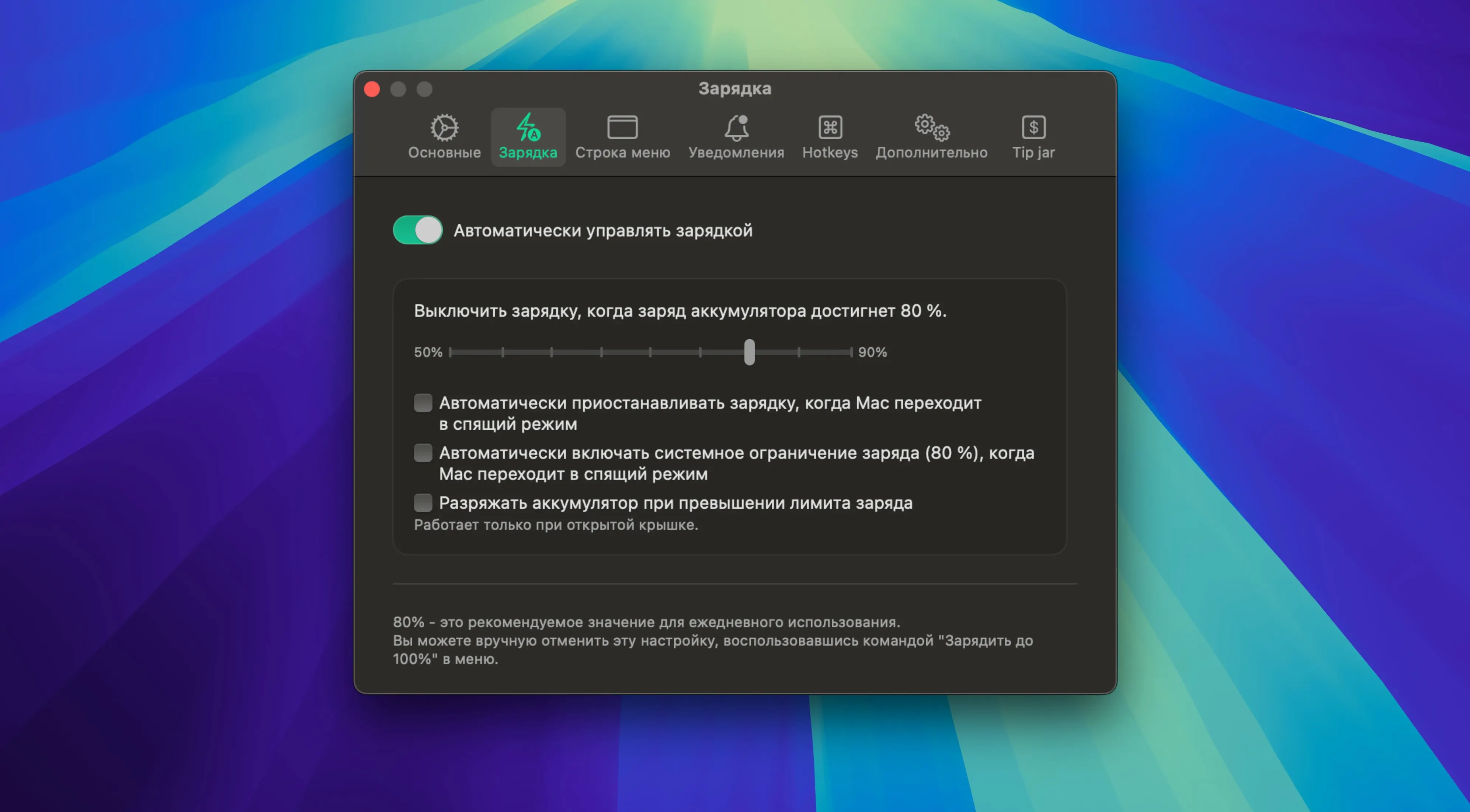
Description
BatFi works on any Mac running macOS 13 or later, whether it has an Apple Silicon or Intel processor. The interface switches between Russian, English, German, Simplified Chinese, Korean, Dutch, Polish, Portuguese, Turkish, French, and Japanese.
| What | Detail |
|---|---|
| Developer | micropixels |
| Current version | 3.0.5 |
The point of BatFi hasn't changed: you pick a charging limit once and it sticks. The app starts with the system, watches the battery percentage in the background, and stops the charge at your chosen level. If you need a full battery for a day out, you can override it and charge to 100% manually. Notifications keep you posted when the charging state changes, so you don't have to keep checking the menu bar. Version 3.0.5 is the latest build — no changelog details this time, but the app continues to do the job without fuss.
BatFi lives in the menu bar, so most of its clever bits sit tucked behind a single click. A few are easy to overlook if you install it and never poke around.
Right-click for a one-click top-up panel
Right-click the menu bar icon instead of left-clicking it. You get a compact panel with the current charge percentage, power source, and a one-click button to top up to 100% — no need to open the main window. It's the fastest way to override your limit when you're about to unplug and head out.
Holding Option while clicking the menu bar icon shows the battery health percentage without opening System Information. The figure matches what macOS reports, but it saves you three clicks every time you check.
The status item icon can be swapped in preferences. There's a monochrome circle that mirrors the battery level, a percentage-only badge, and a tiny battery outline. Pick the percentage badge if you want the information at a glance without hunting for a tooltip.
Notifications are on by default, but you can switch off the "charging paused" ping if it gets repetitive. Leave the "charge complete" one active — it's the one that tells you when the manual top-up has finished and you can grab the machine.
Let macOS handle timing, BatFi handles the hard cap
BatFi doesn't fight macOS's own Optimized Battery Charging. The two sit alongside each other. Let macOS learn your routine for the delayed-charge behaviour, and let BatFi handle the hard cap. Where macOS might decide to go to 100% based on a predicted schedule, BatFi sticks to the number you set regardless. If you travel irregularly, that's the combination you want.
Because the app only writes a charge limit and then steps back, it plays nicely with battery monitoring tools like CoconutBattery. Both can read the battery stats without stepping on each other's toes. BatFi handles the control side; your favourite stats app handles the logging.
The menu bar integration means it slots in next to iStat Menus, Bartender, or Hidden Bar without any special setup. If you use Bartender to tidy your menu bar, drag BatFi into the hidden section and it still runs its charge-limiting job in the background — the icon doesn't need to be visible for the limit to hold.
On the off-chance you're searching for a straightforward charge limiter under names like batfi download or batfi for mac, you're in the right place. The app is a set-and-forget utility that earns its spot on a Mac that spends most of its life plugged in.
Requirements
- macOS 13 or later
- Apple Silicon or Intel Mac
FAQ
Does BatFi work on Intel Macs?
Yes, it runs on both Apple Silicon and Intel Macs as long as they have macOS 13 or later.
Can I still charge to 100% with BatFi?
Yes, you can override the limit and charge to 100% manually whenever you need a full battery.
What happens after I set a charge limit?
The app runs in the background, watches the battery level, and stops charging at the limit you set.
Comments 0
Sign in or create an account to leave a comment.
No comments yet…
If you’ve installed it, say how it went. Mention your Mac and macOS version — it helps the next person more than you’d think.