Astro Gold for macOS
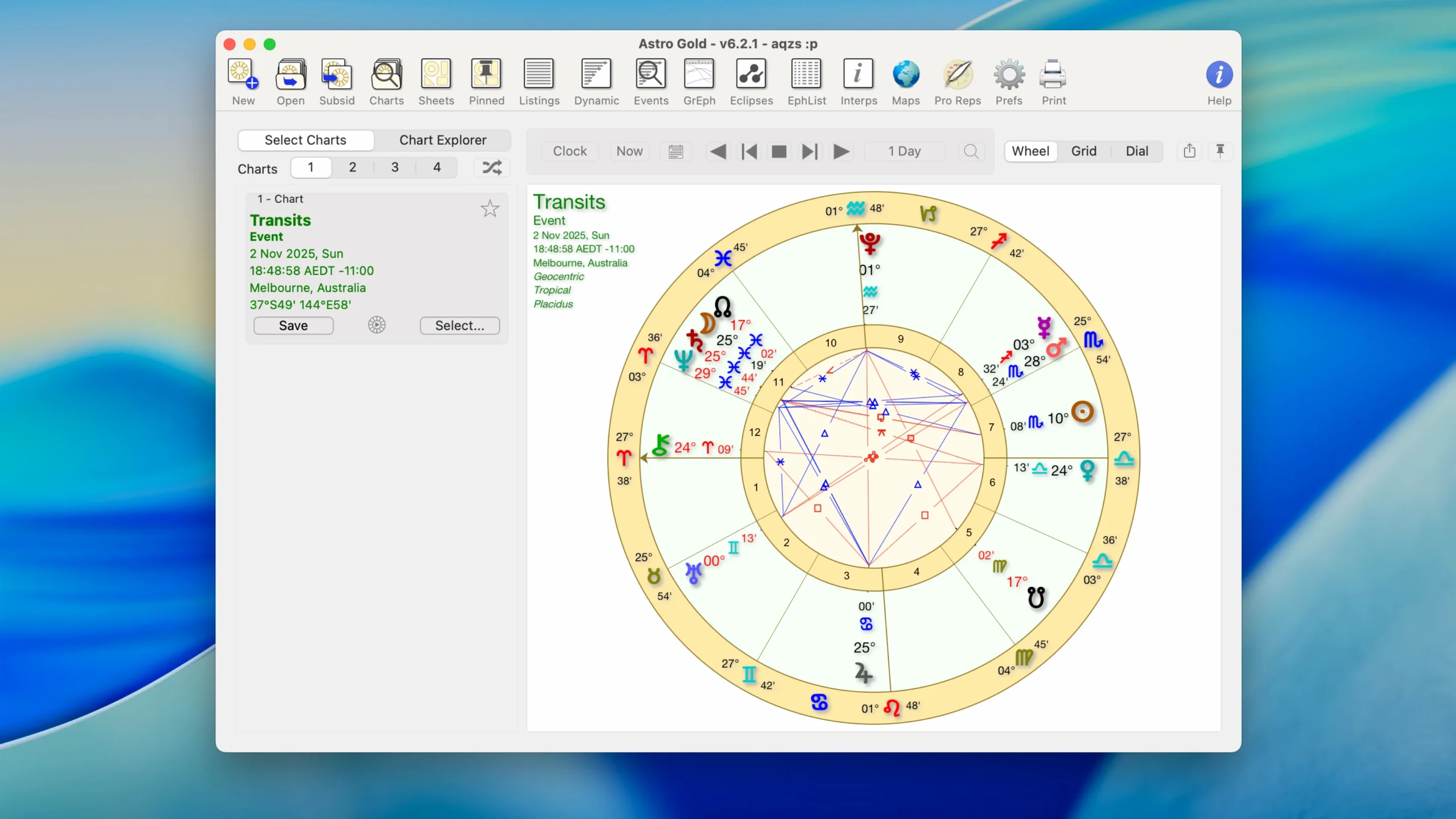
Description
Astro Gold for Mac is for people who already know their way around a chart. It isn't a one-trick novelty app — it's a workbench for casting, comparing and digging into natal data without a browser tab in sight. Students and working astrologers tend to use it alongside their usual notes app, calendar and a spreadsheet for tracking transits.
The chart styles are practical rather than decorative. You can pull up round or square wheels, with or without aspects, and switch between tropical and sidereal zodiacs. The settings let you fine-tune which orbs, aspects and planets show on screen, so you're not staring at a tangle of lines you don't need.
Where it earns its keep is the prediction toolkit. Solar and lunar returns, secondary progressions, solar arc and symbolic directions are all built in. You also get composite and Davison charts, a relocation chart for checking a new city, and a fixed star catalogue that saves you reaching for a separate reference. Ephemerides are included, so you don't need to hop online to check planetary positions.
It sits sensibly in a Mac workflow. The interface is a native Mac app, not a web wrapper, and it runs on anything from macOS 10.13 upwards on Intel or Apple Silicon. Worth a look if you want your chart data living on your own drive next to everything else you use.
Running three client sessions before lunch without redrawing a chart
A consulting astrologer preparing for three client sessions in a morning doesn't have time to redraw charts from scratch. She opens Astro Gold, loads the first client's natal data from her saved file, and checks current transits against the birth chart. A quick glance at the aspect grid tells her which conversations to prioritise. She prints the dual-wheel chart to PDF, drops it into her notes app, and moves to the next appointment. No browser. No login. No waiting.
Mid-session, a client asks about relocating to Lisbon. She pulls up the relocation chart, compares the shifted angles, and reads off the change in emphasis — all while the client is still on the call. After the session, she checks the solar arc directions for the year ahead and emails a summary. The whole morning runs from one app, on one screen, off one hard drive.
Small conveniences that stick
A few things make daily use smoother than you'd expect.
- Right-click on a chart point to copy its exact position. Paste it into a notes file or an email without typing a degree.
- Hold Option while opening a chart to bypass the default settings and pick a different chart style on the fly. Useful when a client prefers square charts but you normally work in round.
- Double-click an aspect line in the aspect grid to see the orb and whether it's applying or separating. Saves hunting through a menu.
- Drag and drop chart files straight into the app icon in the Dock. Quicker than File > Open when you're pulling up an old consultation.
- The fixed star catalogue is filterable by constellation and magnitude. If you only want first-magnitude stars on the angles, you set it once and it remembers.
None of these are headliners. They're the kind of thing you stumble across after a week and then use every day.
Dropping it into a Finder-and-spreadsheet workflow you already use
Astro Gold suits Mac users who already have a system. If you keep client files in Finder folders, write reports in a text editor and track transits in a spreadsheet, it slots in without demanding you change how you work. It's not trying to be your calendar, your journal or your billing app — it handles charts and leaves the rest to you.
Students on a budget often search for an astro gold free download to practise chart reading without a subscription hanging over them. Once installed, the app covers enough ground to work through a diploma syllabus: natal work, progressions, returns and synastry are all there. The medieval techniques are a bonus for anyone studying traditional astrology alongside modern methods.
Working astrologers who've moved from Windows sometimes go looking for astro gold for mac after years on PC software. The Mac version keeps the same logic but behaves like a proper Mac citizen — keyboard shortcuts work as expected, windows resize without glitching, and it stays responsive with a dozen charts open. People who still need a Windows copy occasionally hunt for an astro gold free download for pc to run on a secondary machine, but the macOS build is the one that gets daily use on a primary work Mac.
It's also a quiet favourite among astrocartography users. The planetary lines overlay is clean, and you can toggle individual planets on and off without redrawing the whole map. Relocation chart comparisons sit next to the astrocartography view, so you can cross-check angles and lines in one sitting. That combination alone saves enough time to make astro gold mac stick on the hard drive of anyone doing location work regularly. Some users find their way to the app through an astro torrent, give it a proper run with their own chart data, and decide it earns a permanent spot.
Requirements
- macOS 10.13 or later
- Intel or Apple Silicon Mac
FAQ
Does Astro Gold include composite charts?
Yes. It supports both composite and Davison relationship charts.
Can I use Astro Gold for relocation work?
Yes. It includes relocation charts so you can cast for a new place of residence.
Comments 0
Sign in or create an account to leave a comment.
No comments yet…
If you’ve installed it, say how it went. Mention your Mac and macOS version — it helps the next person more than you’d think.