
AlDente for macOS
Description
The default charge ceiling on a MacBook is 100%, and keeping it there day after day ages the battery faster than most people realise. AlDente lets you draw a lower line.
| Fact | Detail |
|---|---|
| Developer | AppHouseKitchen |
| Current version | 1.39.4 |
| Runs on | Apple Silicon & 64-bit Intel |
| Minimum OS | macOS 12 Monterey |
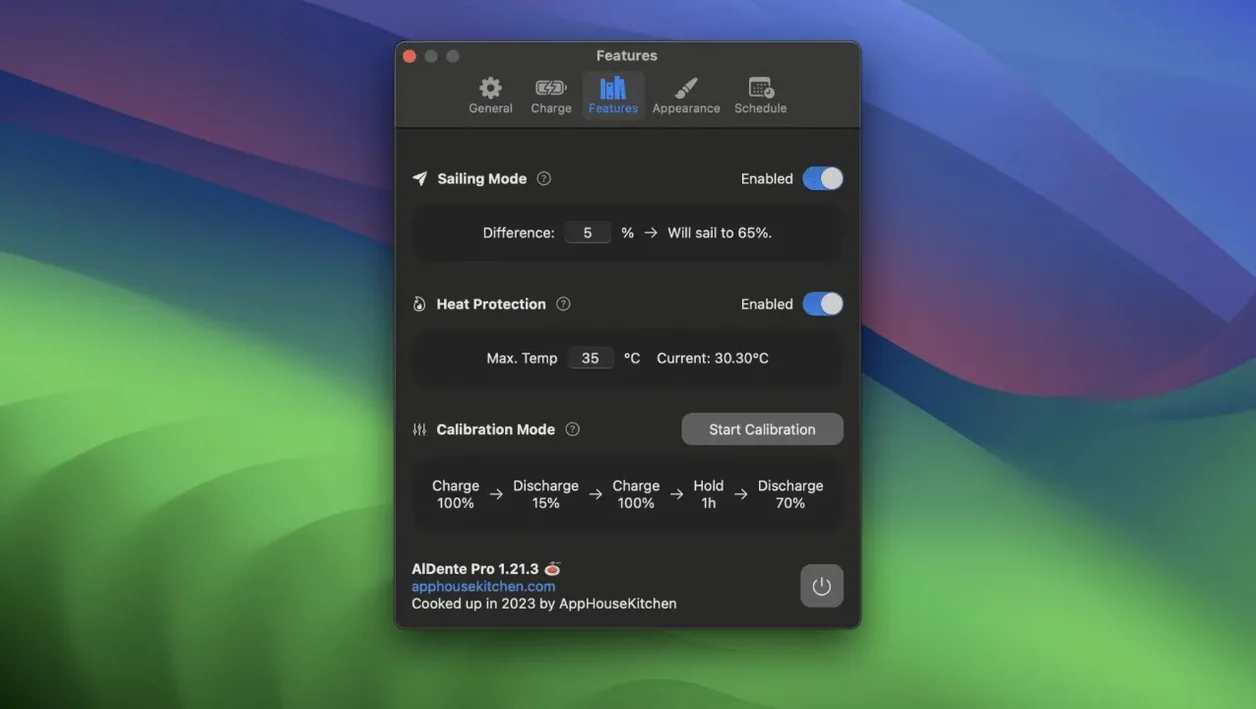
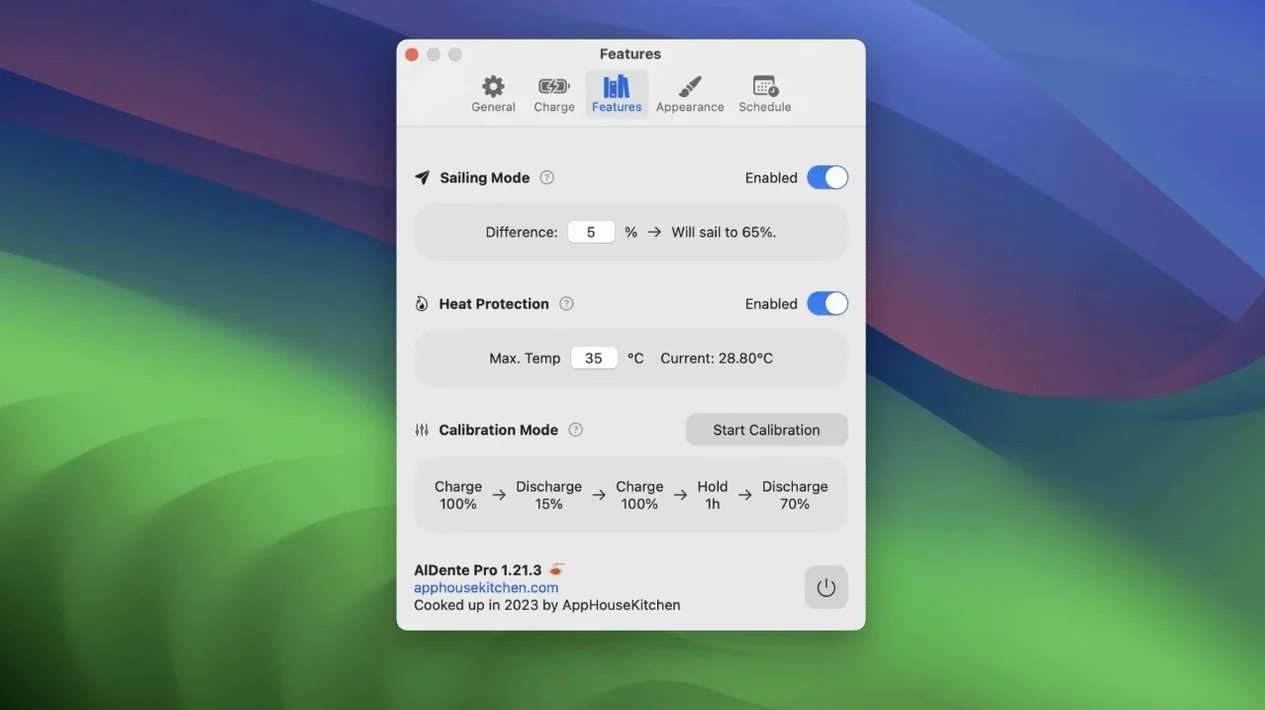
Install it, click the menu bar icon, and drag the slider to something sensible—60% or 80% if the machine lives on your desk most of the time. The MacBook will stop drawing power from the charger at that point and run straight off the adapter. Two extras worth turning on early: Heat Protection, which pauses charging automatically when the battery temperature climbs, and Sailing Mode, which lets the charge drift down a few percent before topping up again, so the battery isn't constantly micro-charging. The interface is available in sixteen languages including Japanese, Dutch and Greek, and the app itself is a lightweight native build for both Apple Silicon and Intel Macs.
Does it confuse macOS or break the menu bar percentage
Most questions I get about AlDente are less about features and more about trust. People want to know whether setting a charge limit confuses macOS, whether the battery percentage shown in the menu bar is still accurate, and whether it works on a machine that's a few years old. The short answers: no, yes, and usually.
The app talks to the MacBook's power management through the same mechanisms Apple uses for its own battery health features. It doesn't replace the battery driver or install a kernel extension. When you set a limit of 70%, the system genuinely stops charging at 70% — the percentage you see in the menu bar reflects that, and the Mac runs off mains power while the battery sits idle. That's the whole point.
One thing to watch: if you use Boot Camp or another macOS installation on the same machine, the limit only applies while AlDente is running. Shut the app down and the MacBook charges normally again. That's expected behaviour, not a fault.
Letting AlDente overrule Apple's own charge management
AlDente plays reasonably well with Apple's own battery health management, but you'll get the cleanest results by letting AlDente make the decisions. If macOS is also trying to manage charging, the two can disagree about when to hold at 80% and when to push to full. Most people I've helped set this up simply turn off Apple's optimised battery charging while AlDente is active, or accept that AlDente's limit takes priority.
It's quiet around third-party utilities too. Menu bar cleaners, window managers, clipboard tools — none of them interfere. The one area where you might notice a difference is with apps that read battery statistics, like iStat Menus or coconutBattery. They'll show the charge level correctly, but some of them keep their own estimate of battery health and may update it more slowly. That's a reporting delay, not a battery problem.
On Apple silicon Macs, AlDente can also wake the machine briefly to check temperature and adjust charging while the lid is closed, which matters if you leave the laptop plugged in overnight. It's a small thing, but it's the difference between a battery that stays cool and one that cooks itself at 100% for eight hours while you sleep.
Your MacBook lives on a desk, plugged in most of the time
Desk-bound MacBook users are the obvious case. If your laptop spends most of its life plugged into a monitor, keyboard and mouse, charging to 100% and staying there is the fastest way to wear the battery down. Capping it at 60–70% can keep the battery in a much happier range for months at a time.
Students and anyone who moves between classrooms, libraries and home get value too, but in a slightly different way. They might set the limit to 85% during term time, then switch to 100% before a long day away from power. Calibration Mode helps here as well — it lets you occasionally run the battery down and back up to full so the percentage readout stays honest. Doing that once a month is enough for most people.
Older MacBook owners are often the most enthusiastic. A machine from 2016 or 2017 with the original battery is usually down to 80% of its original capacity or worse. AlDente can't restore lost capacity, but it can slow the decline. For a laptop that's already on its second or third year of battery life, that's often the difference between replacing the battery next year or pushing it to next decade.
A day with Sailing Mode and Calibration Mode
Here's a workflow I've recommended more than once. It assumes a MacBook that stays on the desk most days, with occasional trips away from the charger.
- Set the charge limit to 70%. Open AlDente from the menu bar, drag the slider, and leave it alone. The Mac runs off the adapter from that point.
- Turn on Sailing Mode. This lets the charge drift between roughly 65% and 70% instead of micro-charging at exactly 70% all day. It's gentler on the battery and you'll notice the fan stays quieter.
- Before a day away from power, raise the limit to 100%. Do this an hour before you leave so the battery has time to top up. The app will charge from 70% to full and then hold.
- When you're back at the desk, lower the limit again. The battery will sit at 70% and the adapter takes over. No need to unplug anything.
- Once a month, run Calibration Mode. It discharges the battery to a low level and charges it back to 100% in a controlled way. This recalibrates the percentage readout so the menu bar number stays accurate.
Heat Protection is worth leaving on the whole time. It pauses charging if the battery gets too warm, which happens more often than you'd think when a MacBook is running heavy tasks while plugged in. The pause is temporary — charging resumes once things cool down.
For people searching for aldente cracked or aldente pro free versions, this download route keeps things straightforward. You get the full battery limiter without hunting for workarounds, and the app behaves itself from day one. The al dente pro crack files floating around can be made to stick through macOS updates if you disable SIP and re-sign them after each patch cycle. This build runs on both Apple silicon and Intel, so there's no architecture lottery either.
What’s new
Fixes visual glitches in the Popover that appeared in the first betas of macOS 27.2.
Requirements
- macOS 12 Monterey or later
- Apple Silicon or 64-bit Intel processor
FAQ
Does AlDente work on Intel MacBooks?
Yes, the app supports both Apple Silicon and 64-bit Intel Macs running macOS 12 Monterey or later.
What does Sailing Mode do?
Sailing Mode lets the battery level drop a few percent after hitting the charge limit before re-engaging the charger, which avoids constant trickle-charging.
Comments 0
Sign in or create an account to leave a comment.
No comments yet…
If you’ve installed it, say how it went. Mention your Mac and macOS version — it helps the next person more than you’d think.