Airflow for macOS
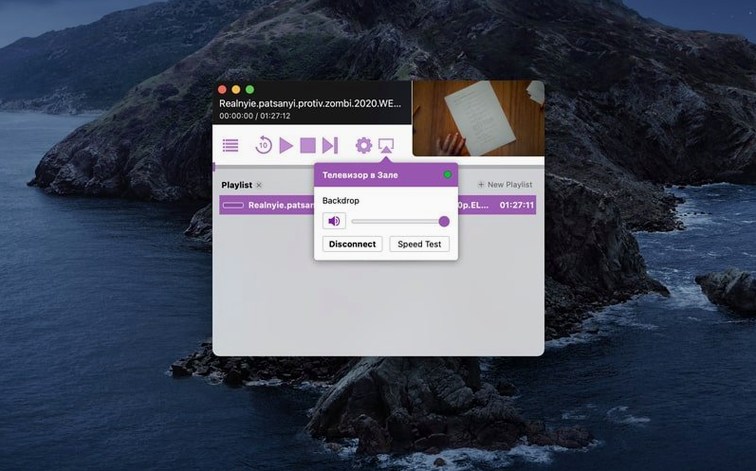
Description
If you know VLC, think of Airflow as the bit that pushes the picture to the telly. It does not fuss with codec packs or library management. It takes a video file sitting on your Mac and sends it straight to a Chromecast.
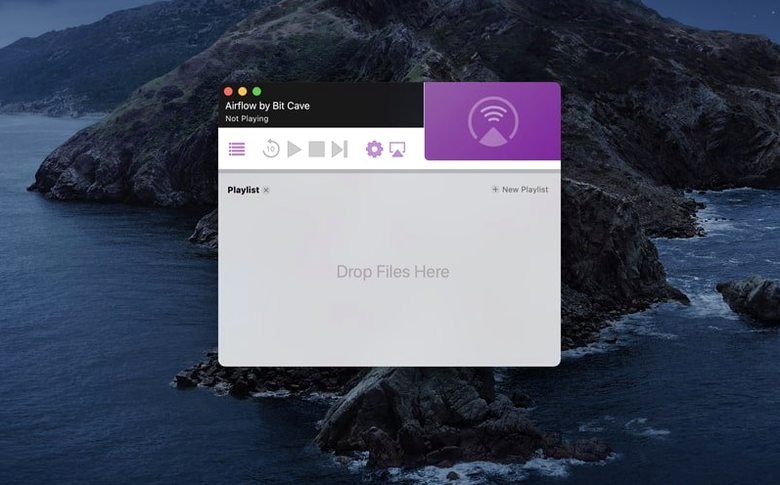
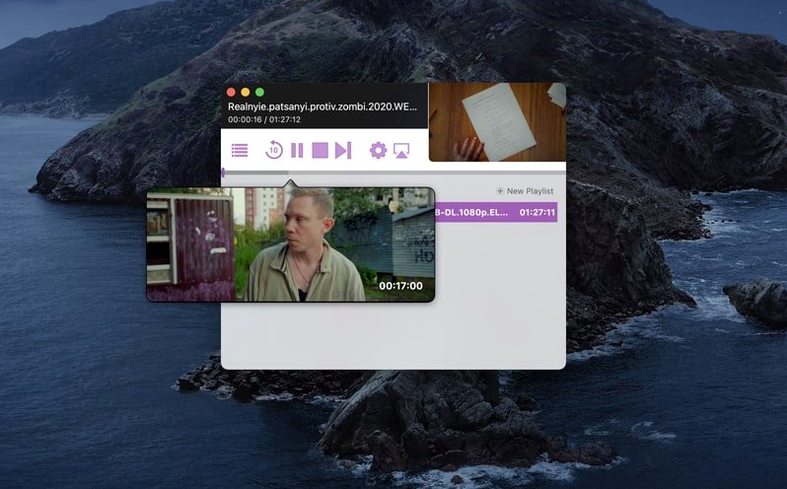
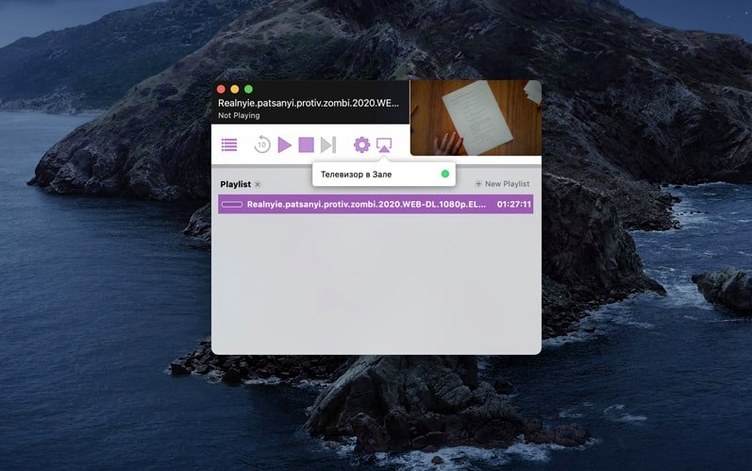
You add files by dragging them onto the window. The app lists the Chromecast devices it can see on the network. Pick one, and playback begins. That is the whole job.
The interface keeps out of the way. No sidebars, no pop-over settings panels. Just a dark window with a drop zone and a device list. Version 3.3.10 runs on Intel Macs back to macOS 10.12, so it covers a lot of older machines still doing media duty.
It works with the file formats Chromecast already understands, so most common video containers play without a transcode step. If a file will not play, the reason is usually the Chromecast's own limits, not the app.
Why Chromecast rejects a file
Chromecast playback hiccups usually come down to three things: the network, the file, or what the Chromecast can actually decode. Airflow hands the file over as-is. If the Chromecast says no, the file probably uses a codec the dongle does not support – HEVC on a first-gen Chromecast is a classic example.
When the device list stays empty, check that the Mac and the Chromecast are on the same subnet. A Mac on 5 GHz Wi-Fi and a Chromecast on 2.4 GHz with client isolation enabled will never see each other. Some routers ship with that setting on by default.
Another silent troublemaker: VPNs. If the Mac routes traffic through a VPN tunnel, the Chromecast can disappear from the list because multicast discovery gets blocked. Disconnect the VPN, wait about ten seconds, and the device usually reappears.
Stuttering playback on high-bitrate files is rarely the app. The Chromecast's Wi-Fi module is modest. A wired Ethernet adapter for the Chromecast solves more stutter than any software setting ever will.
First days with Airflow
Drag a short test clip in first – thirty seconds of something you know well. Play it through once. That confirms the Mac, the network, and the Chromecast all agree. It is easier to troubleshoot a small file than to find out forty minutes into a film that subtitles are not working.
Subtitles deserve their own check. If the video has an external .srt file alongside it, name it exactly the same as the video file and keep it in the same folder. Airflow picks it up and sends it as a separate text track. Mismatched filenames are the number one reason subtitles appear to be broken.
If you plan to queue several episodes, drop them all at once and let the app build the list. You can reorder by dragging entries up or down. The queue survives until you clear it, so setting up a few episodes before dinner means not touching the Mac again once the remote has gone missing in the sofa.
Turn on hardware decoding for smoother scrubbing
Airflow keeps preferences sparse, but two options are worth a look straight away.
In the playback section, turn on hardware decoding if your Mac has a discrete GPU. It takes the decode load off the CPU and makes scrubbing through a file feel snappier. On older Intel integrated graphics, leave it off – some chipsets produce green frames or refuse to decode altogether.
The other one to check is the default subtitle language. The app guesses from your macOS region, but that guess is wrong often enough to matter. Set it to your actual preference and the subtitle track you want will usually land first, without cycling through six options on the TV screen while everyone tells you to hurry up.
One last thing that is not a setting but behaves like one: the app remembers the last Chromecast you used. If you have more than one in the house, that saves a click every time you open it. If you take the Mac somewhere else, you will need to pick a new device once, and it sticks after that.
Requirements
- macOS 10.12 or later
- 64-bit Intel processor
- Chromecast device on the same network
FAQ
Can I drag more than one video at a time?
Yes. Drag a batch of files into Airflow and it queues them up for playback on the selected Chromecast.
Does it work on Apple Silicon Macs?
The current build is for 64-bit Intel Macs. It runs on Apple Silicon under Rosetta 2, but a native build is not listed.
What does "Open Gatekeeper friendly" mean?
It is a helper script that guides macOS through the first-launch security check without digging into System Preferences.
Comments 0
Sign in or create an account to leave a comment.
No comments yet…
If you’ve installed it, say how it went. Mention your Mac and macOS version — it helps the next person more than you’d think.