Ableton Live for macOS
Description
You drag a field recording off your desktop and into a new audio track. It's a door slam, a bit of wind, and a muttered curse. In sixteen bars, you want it to sound like a rhythm section.
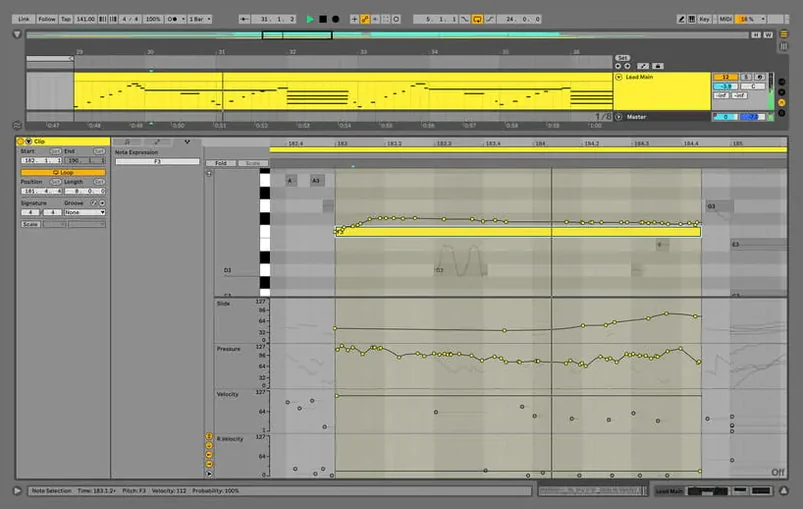
Live's Warp engine locks the messy transient to the project tempo without stopping playback. You duplicate the clip, slice it to a new MIDI track, and start pulling the thud of the door into a kick pattern. The wind becomes a shaker. The curse gets pitched down into a sub-bass stab.
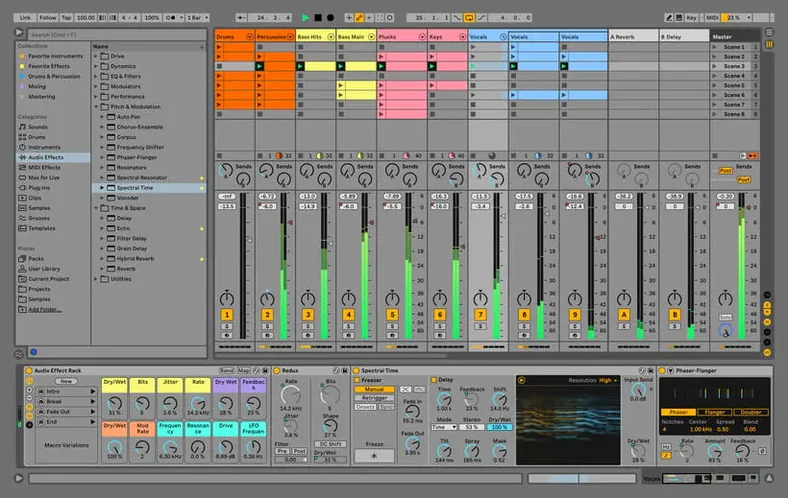
You browse the Core Library from the sidebar, dropping a dry 808 kit onto another track. A saturator and a simple delay from the audio effects rack give the pattern some grit and space.
Warp, jam, and reshape live takes
- Non-linear sound design where clips can be warped and repitched on the fly.
- Jamming with a collection of built-in instruments, kits, and loops without hunting for third-party plugins.
- Capturing live takes and then reshaping them with effects for sound adjustment and processing.
macOS 12 minimum, six interface languages
- Needs macOS 12 or later.
- Interface languages are English, German, Spanish, Italian, French, and Japanese.
A bedroom producer cuts a vocal
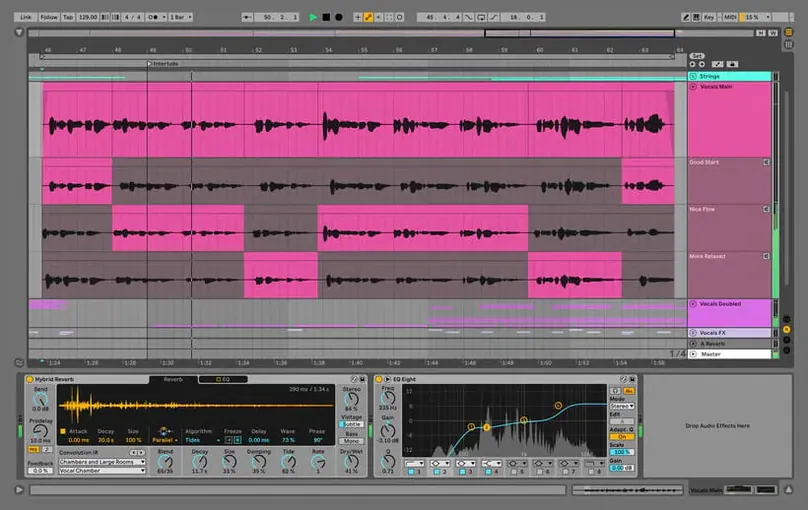
A singer-songwriter sits down after a late shift with a cheap condenser mic and a four-bar loop. She's been humming a melody into her phone for two weeks. Now she wants to turn it into a finished demo without losing the feel in a maze of menus.
She plugs in her interface, arms an audio track, and records three takes back to back. The third one has a rasp she likes. She drags the clip edges to tidy the start and end, then wraps the whole thing in a light Compressor and a touch of Reverb from the Core Library. Twenty minutes later she's bounced a rough mix and sent it to her bandmate.
Start with a blank Set and tap in a tempo
You open a blank Set and tap the tempo in with the corner button while a drum loop plays in your head. The browser on the left shows Sounds, Drums, Instruments — you grab a Dry Kit and drop it into a MIDI track.
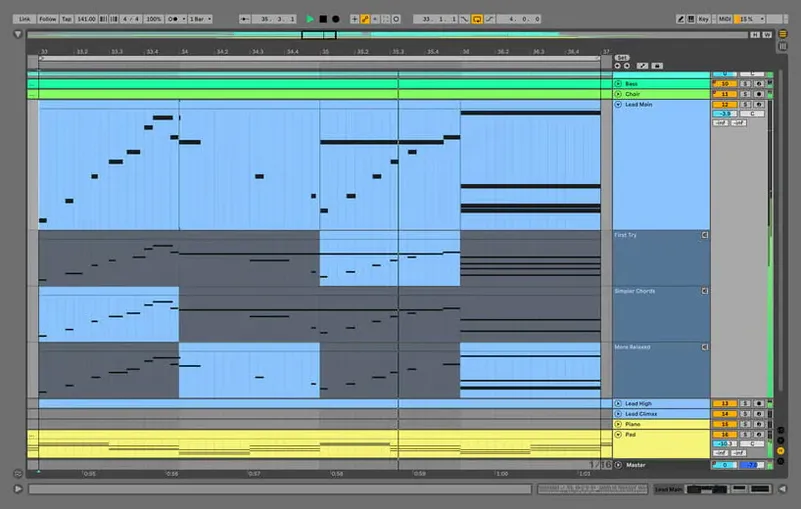
- Draw a simple kick-and-snare pattern in the Clip View piano roll. Tight quantize, no swing yet.
- Add a second MIDI track with a Wavetable synth. Browse a pad preset, hold down three notes, and print an eight-bar clip.
- Arm an audio track. Your guitar is running through an Amp and Cabinet effect in the device chain, so you hear the processed tone while recording. Cut two choruses and a verse.
- Switch to Arrangement View. Drag the chorus clips to the timeline, duplicate them, leave a gap for the verse. Use the crossfade handles on overlapping audio clips to smooth a sloppy edit.
- Hit Cmd‑R to render a stereo WAV. The 12.4.6 update means this won't hang even if your Set is crowded with Beat‑warped audio clips.
If macOS blocks the app on first launch, open System Settings, go to Privacy & Security, and click Open Anyway. After copying the app into Applications, launch it and drop the Authorize.auz file into the window. AbletonAutoSave shows up in the menu bar and saves a backup at the interval you set — it quits when Live quits.
Drop the buffer to 128 samples for recording
- Audio buffer size — set it in Preferences under Audio. 128 samples for recording, 512 or 1024 for mixing. Lower means less latency, higher means fewer crackles on a busy project.
- Record Warp Launch — turn it off if you record long acoustic takes. You can always warp later, but you don't want Live guessing where your downbeat is during a delicate fingerpicked intro.
- Auto‑Warp Long Samples — switch to Off for field recordings and sound design. You'll warp by hand when you need it.
- Default Warp Mode — change from Beats to Complex Pro for anything melodic. Your vocal comps and piano parts will keep their formants intact when you shift tempo.
- Collect All and Save — make it muscle memory. The command lives under File → Collect All and Save; it bundles every sample into the project folder so you never open a Set full of missing‑file warnings six months later.
Pipe system audio in with BlackHole or Loopback
Live runs well alongside other macOS audio tools if you keep your routing straight. BlackHole or Loopback can pipe system audio into a Live track when you're grabbing a quick sample from a video. Many producers build the arrangement in Live, then export stems for mixing in Logic Pro — the Export Audio/Video dialogue lets you render All Individual Tracks in one pass.
Max for Live devices talk directly to hardware controllers from Akai, Novation, and Arturia without MIDI mapping. If you have a Push, the session rings show your clips in colour, and the encoder knobs latch onto whatever device you last touched. For people who score to picture, dropping a video file onto the Arrangement opens a resizable video window that stays in sync when you nudge the tempo.
A slow‑moving ambient piece might start as a ten‑minute stereo recording in Audacity, get sliced into loops in Live's Simpler, then get drenched in Valhalla Supermassive or some other Audio Unit reverb loaded right into a return track. Return tracks feed your headphones while the cue mix keeps the click isolated — useful when you're laying down a guide vocal with a drummer bleeding into the room mic.
For live performance, nothing stops you from firing clips with the laptop keyboard while a hardware synth runs into an External Instrument device. Tempo changes, time‑signature shifts, and dummy‑clip automation all work without stopping playback. The Transport bar keeps counting, the audience keeps moving.
What’s new
Fixes a hang that could occur during rendering, bouncing, or consolidating in large Sets with audio clips in Beats Warp Mode and Transients Granular Resolution.
Requirements
- macOS 12 or later
- Intel and Apple Silicon Macs
FAQ
What got fixed in the latest Live update?
Version 12.4.6 fixed a hang during rendering or bouncing that happened in large Sets using Beats Warp Mode with Transients Granular Resolution.
Can I change a musical idea without stopping playback?
Yes, it supports playing and changing musical ideas without interrupting the creative flow, which is central to the session workflow.
What's included in the Suite edition?
Ableton Live 12 Suite includes a full collection of instruments, sounds, kits, loops, and effects for sound adjustment and processing.
Comments 0
Sign in or create an account to leave a comment.
No comments yet…
If you’ve installed it, say how it went. Mention your Mac and macOS version — it helps the next person more than you’d think.