
Nik Collection for macOS
Description
Photographers who live inside Photoshop, Lightroom, Affinity, or DxO PhotoLab use Nik Collection. It is a toolkit you call up from your host, not a standalone editor. On this Mac, it expects macOS 13.3 or later and runs natively on both Intel and Apple Silicon.
Hosts and formats to know before you start
The plugin is useless without a compatible host. The confirmed line-up is Adobe Photoshop, Lightroom Classic, Affinity Photo, and DxO PhotoLab. Check your version against the DxO compatibility page if you run an older host. File format support depends on the host, not on Nik itself, so stick to TIFF or PSD for round-tripping layers.
A sensible workflow, step by step
- Open your base image in the host. Do global exposure and white balance first.
- Launch Color Efex Pro. The new Color Grading tool sits with 52 filters and 250 effects. Use the Selective tool to paint an effect onto part of the frame.
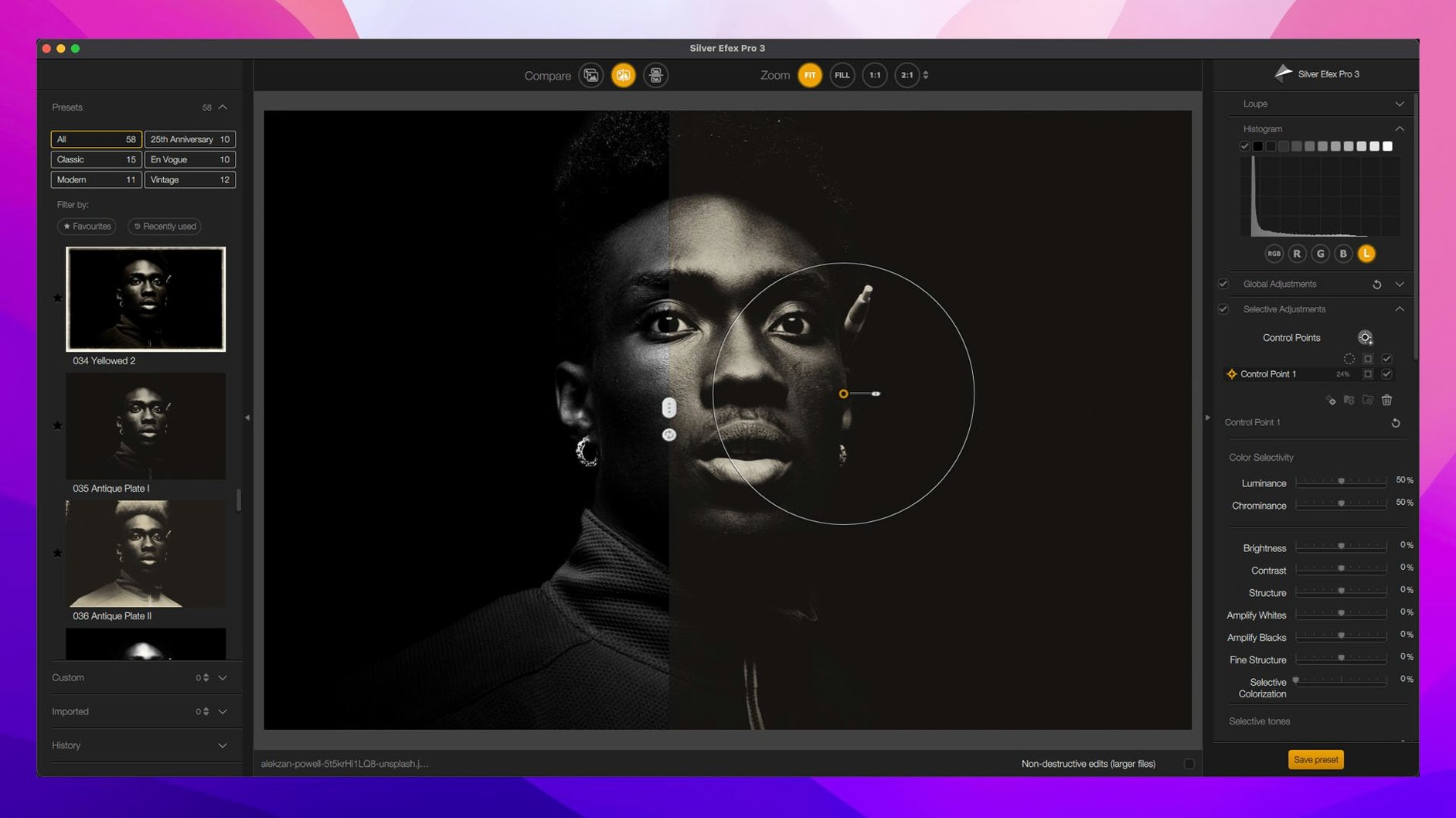
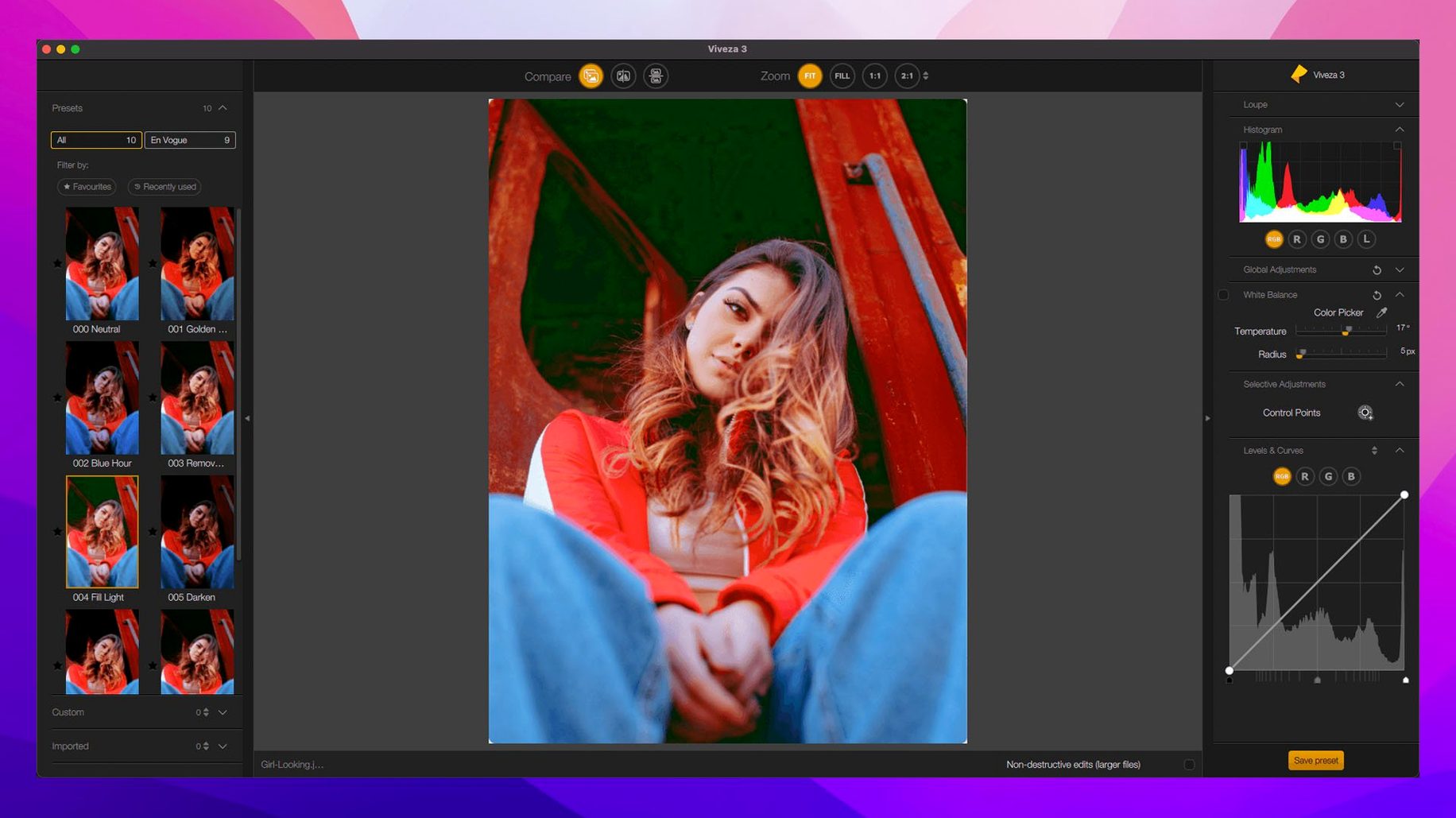
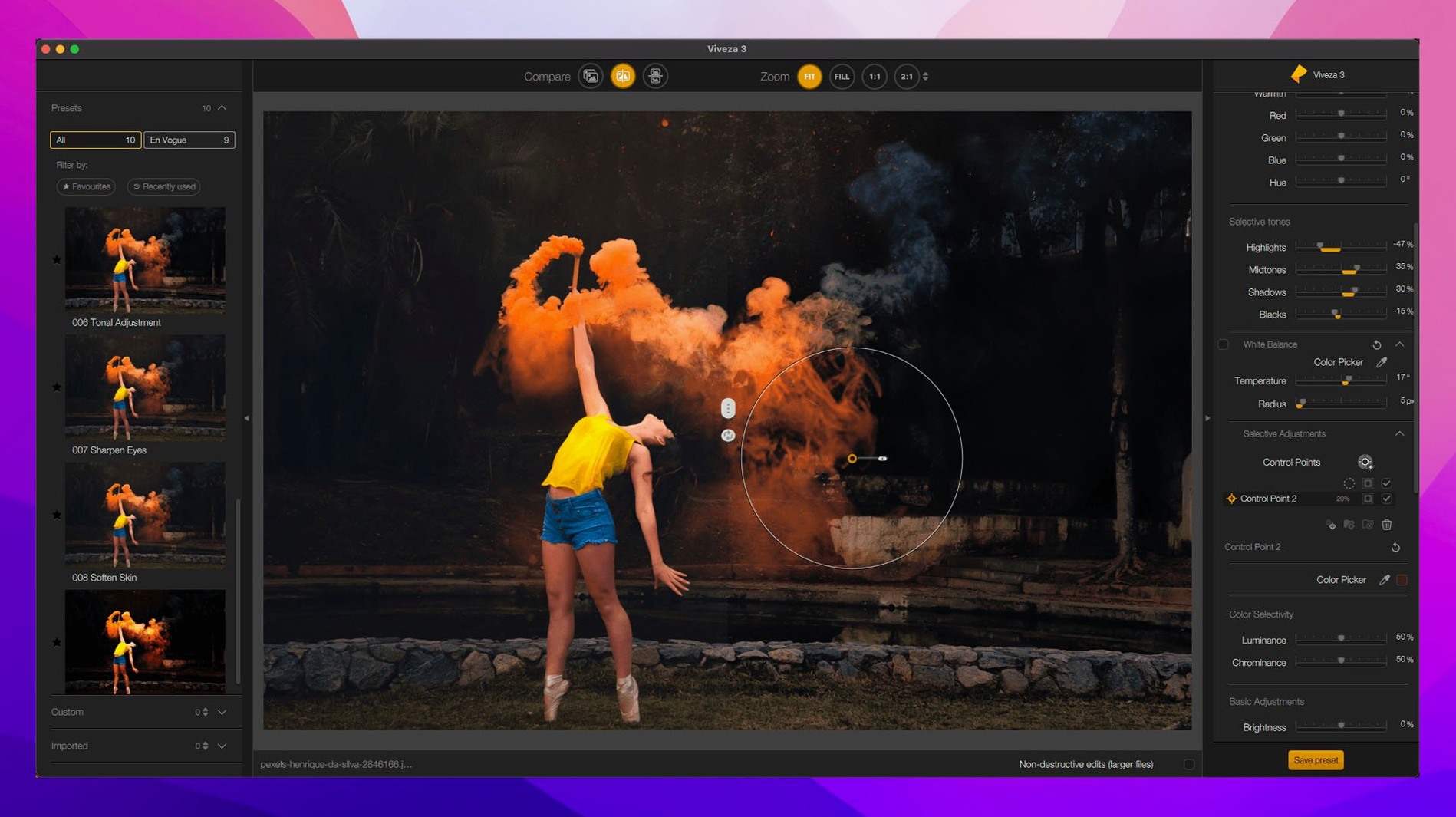
- Drop a U Point control point on a face or a sky. Drag the sliders to adjust brightness, contrast, or saturation just in that tonal range.
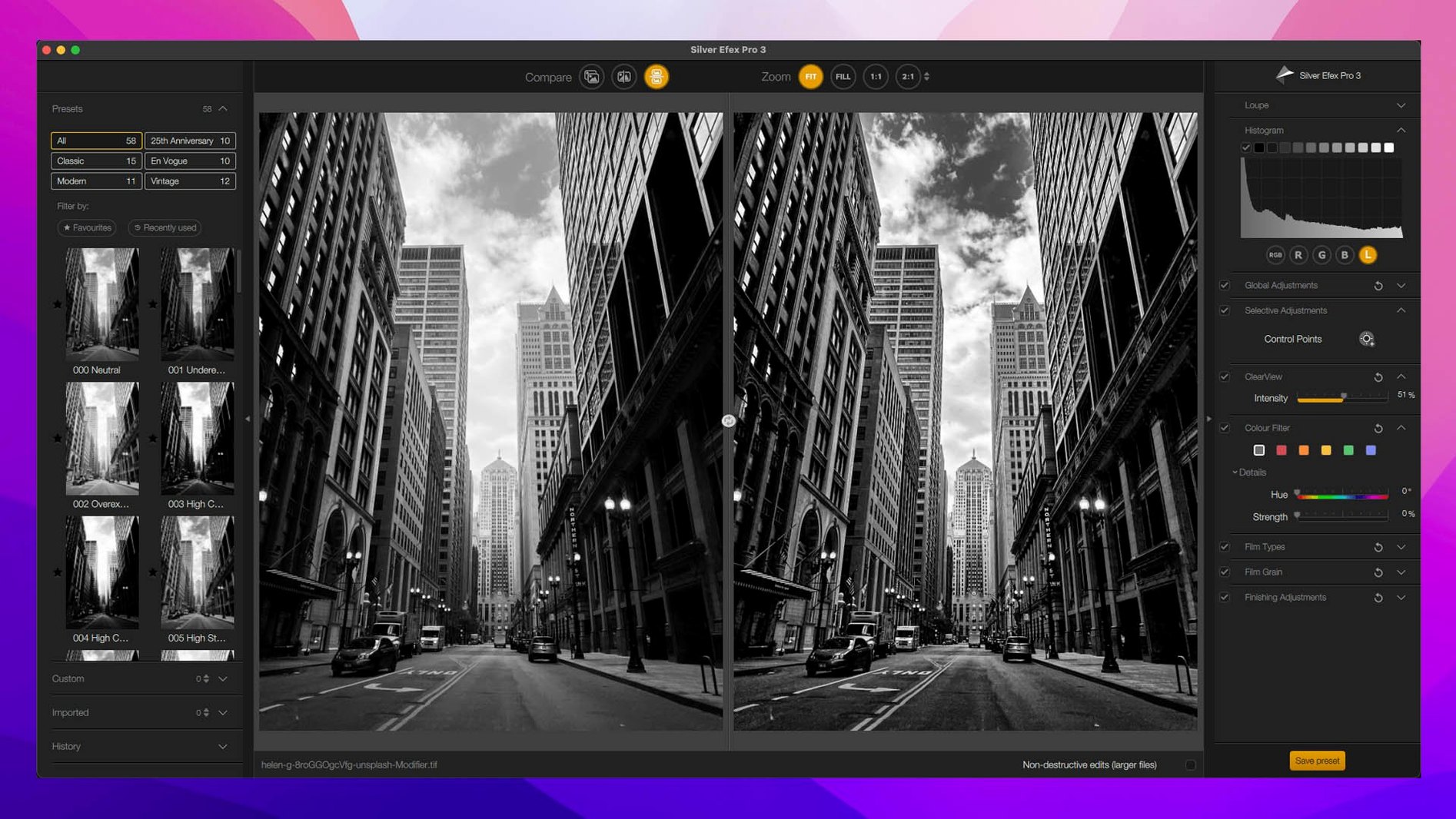
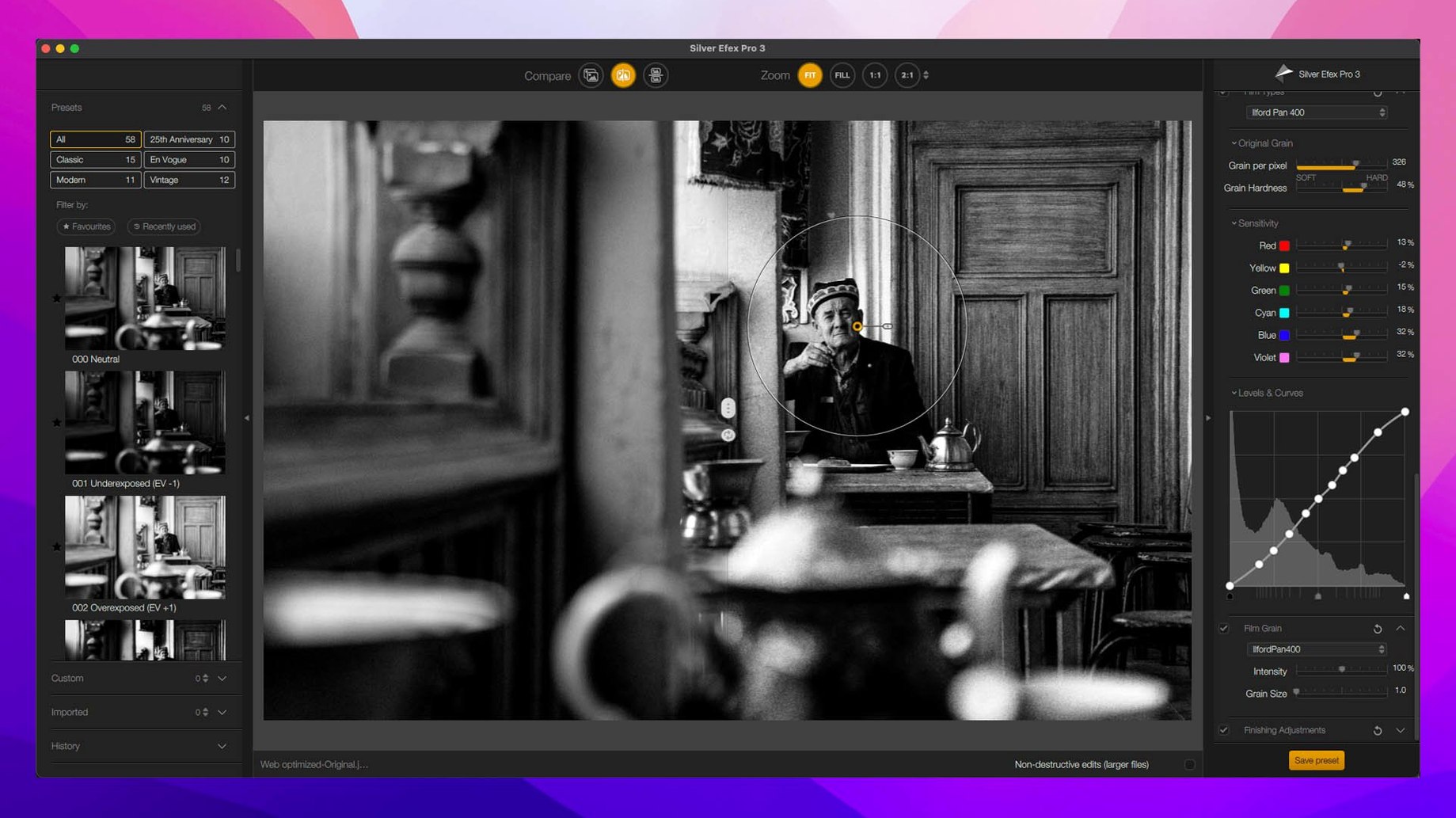
- Send a black-and-white version to Silver Efex Pro. The split preview lets you check the conversion against the colour original. Pick a preset, then tweak the grain and toning.
- If the image needs output sharpening, run Sharpener Pro last. Its preview shows the actual pixel-level effect on a chosen area.
Version 9 adds Depth Masks and AI Masks for quicker selections, plus three new creative effects: Chromatic Shift, Glass Effect, and Halation. The suite still feels like a collection of trusted tools rather than a single monolithic app, which suits anyone who prefers to build a look in deliberate passes.
Turn off GPU processing in Color Efex first
Nik plugs in and works, but a few defaults can trip you up. Open Color Efex Pro first, not because it is the most important plugin, but because one setting here affects everything.
Turn off GPU processing if you see black preview tiles or lag when dragging a slider. The switch lives under the Settings cog. On Apple Silicon Macs the software runs fine without it, and you keep the fans quiet.
Next, visit Silver Efex Pro and switch the preview quality from “Draft” to “Best” when you are near the end of an edit. Draft mode hides fine grain and can mislead you about how much structure you have pushed into the midtones. Leave it on Draft for quick preset browsing, then flip it before you export.
In Viveza, set the default control-point size down to about 15 pixels. The factory size is generous, which is fine for skies, but on a portrait it spills into neighbouring tones before you have even begun to refine the luminosity range. Smaller points need fewer corrections later.
Double-click a control point to reset its sliders
A few shortcuts exist only in the Nik layer, not in your host’s menus.
- Double-click a U Point control point to reset its sliders to zero without removing the point itself. Useful when you have placed ten points across a face and only one has drifted too far.
- In any plugin, hold
Shiftwhile clicking a preset to see a before-and-after blink of the whole image, not just the thumbnail. The new Preset Hover Preview does something similar, but the Shift-click works on older presets too. - Mask Overlays appeared quietly in version 9. Tap
Mto toggle the overlay on and off. The default color is red; change it to white under View if you are evaluating luminosity masks on a dark background. - Copy and paste local adjustments between images arrived in this release. Right-click a control-point group and choose Copy adjustments, then paste onto the next frame in the series. It works across plugins, not just inside one.
What’s new
- Adds Depth Masks and AI Masks for faster local selections
- Adds a new Color Grading tool in Nik Color Efex
- Adds Chromatic Shift, Glass Effect, and Halation effects
Requirements
- macOS 13.3 or later
- Intel or Apple Silicon Mac
- Compatible host: Photoshop, Lightroom Classic, Affinity Photo, or DxO PhotoLab
FAQ
Does Nik Collection 9 work as a standalone app?
No, it is a plugin suite that requires a compatible host such as Photoshop, Lightroom Classic, Affinity Photo, or DxO PhotoLab.
What is U Point technology used for?
U Point lets you make local adjustments by placing control points on an image and adjusting only the similar tones and colours around them without manual masking.
Which tool should I use for black and white conversions?
Silver Efex Pro is the dedicated black-and-white plugin, offering presets, a before-and-after split preview, and fine control over grain and toning.
Comments 0
Sign in or create an account to leave a comment.
No comments yet…
If you’ve installed it, say how it went. Mention your Mac and macOS version — it helps the next person more than you’d think.