DaisyDisk for macOS
Description
Version 4.34.2 counts APFS clones once in used-space totals, so the numbers you see match what the system actually stores.
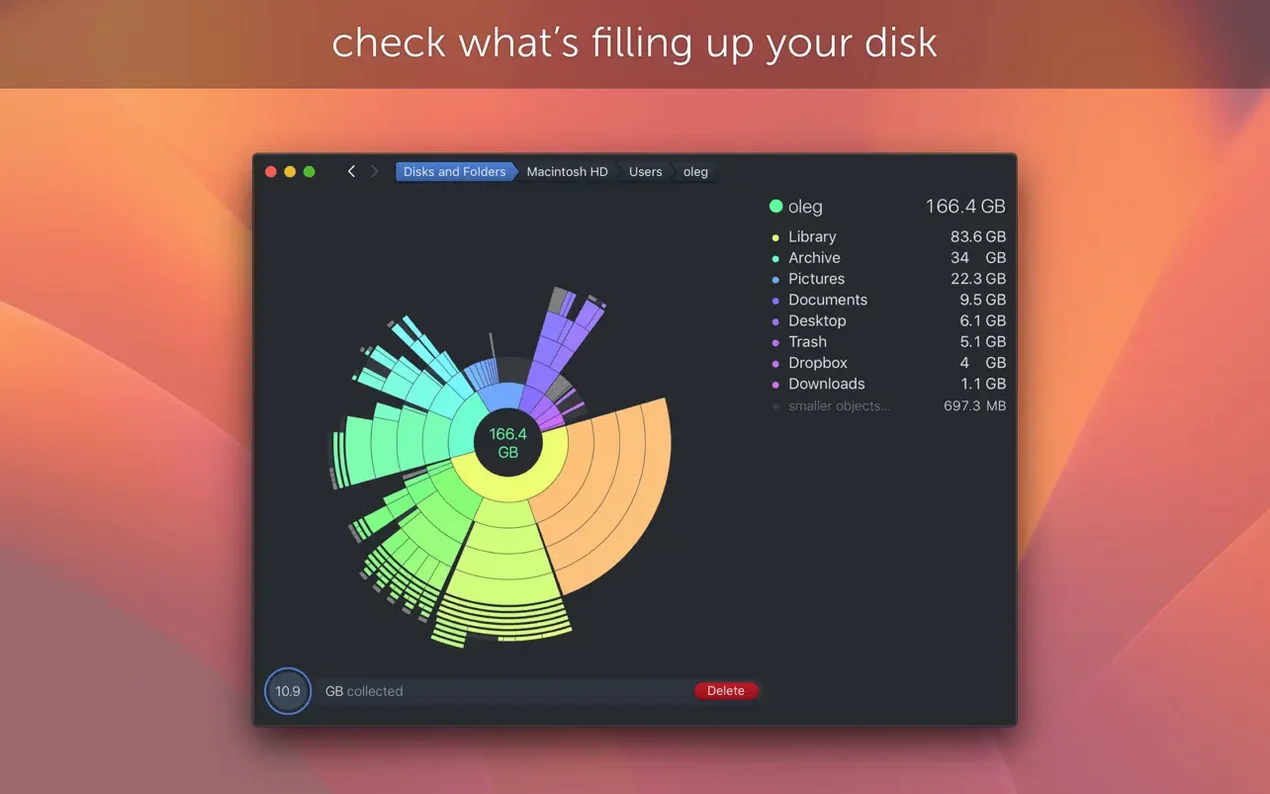
Scan map — a sunburst diagram of your disk. Each segment is a folder; the bigger it looks, the more space it uses. Click in to drill down.
Hidden space — storage the Finder can't easily show you. DaisyDisk scans as admin to reveal it, right down to individual caches and system snapshots.
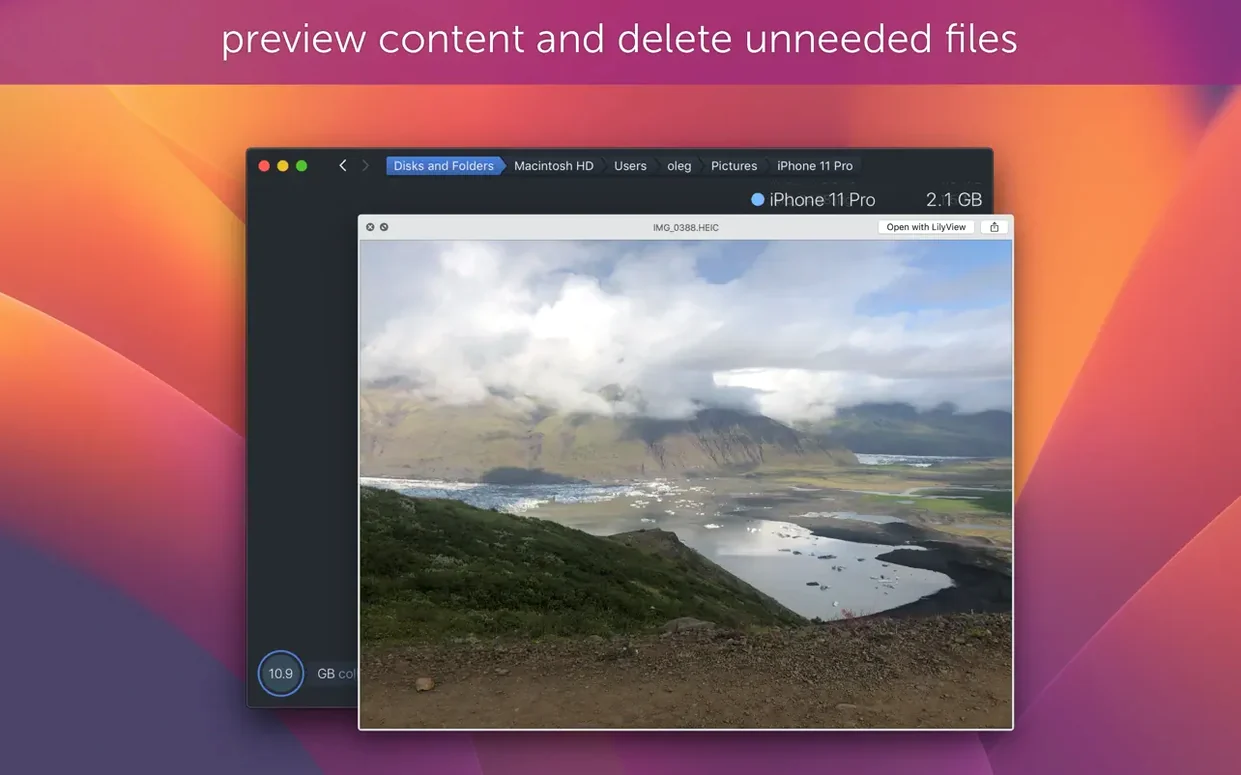
Quick Look integration — tap the Space bar on any file in the map and you get a preview without leaving the app. Helps you decide what to bin.
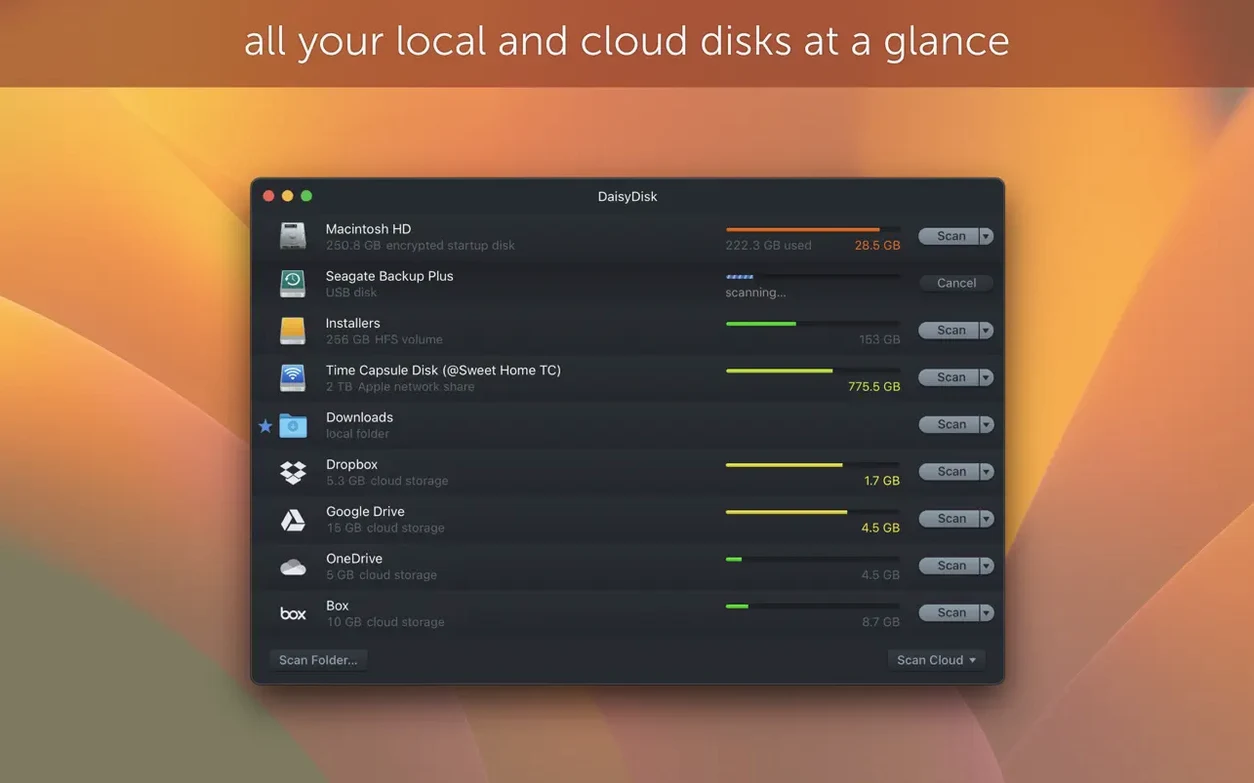
Parallel scanning — multiple disks at once. Connect an external drive and scan it while your internal SSD is still mapping. No waiting in a queue.
Drag-to-delete — grab a segment from the map, drop it onto the Trash icon in the Dock. That's it. No confirmation dialogues unless the file is protected.
Finding the culprit behind 'disk almost full' on small drives
People with 256 GB MacBooks. The ones who keep getting 'Your disk is almost full' notifications and have no idea why. DaisyDisk shows them the culprit in under a minute.
Photographers and video editors who juggle raw files. A shoot can leave 200 GB of test shots and proxy files scattered across three folders. The map makes that mess obvious.
Developers with bloated Xcode caches, old simulators and Homebrew leftovers. The hidden-space scan reaches places the Finder pretends don't exist.
Anyone who bought a Mac with a small SSD and now regrets it. Before you delete apps or move your photo library, run a scan. You'll usually find 30–40 GB of forgotten downloads, installers and log files.
Fixing scan permission denials and clone double-counting
Scan permission denied. macOS blocks scanning of certain system folders by default. Grant Full Disk Access in System Settings > Privacy & Security, then re-scan. The hidden-space figures will jump.
APFS clone confusion. Before version 4.34, a file cloned three times showed up as triple the space. If your numbers look inflated and you're on an older daisydisk download, update. Clone-aware counting fixes that.
External drive won't scan. Drives formatted as FAT32 or exFAT sometimes report nonsense sizes. Version 4.33.2 sorted that. Also check the drive isn't mounted read-only — DaisyDisk needs write access only for deletion, but scanning works fine read-only.
Map feels sluggish on huge drives. Scanning a 4 TB RAID full of small files takes time. Let it finish. Interrupting mid-scan leaves incomplete results. If you're on an older Mac, close other disk-heavy apps first.
Deleted files still show as used space. APFS snapshots. Time Machine local snapshots eat space invisibly. DaisyDisk flags them under hidden space. To clear them, open Terminal and run tmutil listlocalsnapshots / then tmutil deletelocalsnapshots /.
Clearing space for a project in 45 seconds
Jane has a 256 GB MacBook Air. Finder says 18 GB free. She's about to fly out and needs room for a project. Here's the DaisyDisk play.
- Launch DaisyDisk and scan the internal SSD. Takes about 45 seconds.
- The map shows a massive segment labelled Users. She clicks it.
- Inside Users, Library is huge. She drills down to Application Support and spots Slack caches at 4.2 GB. Drag to Trash.
- Back up a level. Downloads is 22 GB. She Quick Looks a few disk images — old daisydisk mac free installers from two years ago. Trashed.
- She switches to the hidden-space view. Time Machine snapshots: 11 GB. She clears them via Terminal.
- Final sweep: Documents reveals a forgotten Final Cut library at 38 GB. She moves that to an external SSD.
- Re-scan. 89 GB free. Done in under ten minutes.
No guessing. No deleting things she might need. Every large item got a Quick Look preview before she touched it.
APFS clones no longer inflate your usage totals
Version 4.34 brought the big one: APFS clone awareness. If you use cp -c or apps that clone files instead of copying, those clones no longer inflate your usage totals. The map now reflects physical blocks on disk.
Version 4.33.2 quietly fixed FAT32 and exFAT size reporting. Before that, plugging in a USB stick could show wildly wrong capacities. It also improved hidden-space estimates on macOS Tahoe, where system snapshots got more aggressive.
The current release, 4.34.2, is a maintenance fix. No new features — just a bug squashed in the scanning engine. If your scans ever stalled on a specific folder, this update sorts it.
For anyone still on a pre-4.34 daisy disk mac torrent release, the clone accounting alone is worth updating for. Your free-space numbers were probably lying to you.
What’s new
- Adds support for APFS clones.
- Counts only the first occurrence of each APFS clone in used space calculations.
- Fixes a bug.
Requirements
- macOS 10.13 or later
- Intel or Apple Silicon Mac
FAQ
Does DaisyDisk show APFS clone sizes correctly?
Yes. Version 4.34.2 counts only the first occurrence of each APFS clone, so the used-space figure reflects actual disk consumption.
What macOS version does DaisyDisk need?
It requires macOS 10.13 or later and runs on both Intel and Apple Silicon Macs.
Can I scan more than one disk at the same time?
Yes. DaisyDisk scans mounted disks in parallel, so you can map an internal drive and an external drive simultaneously.
Comments 0
Sign in or create an account to leave a comment.
No comments yet…
If you’ve installed it, say how it went. Mention your Mac and macOS version — it helps the next person more than you’d think.