XLN Audio XO for macOS
Description
Version 1.8.10 fixes a MIDI export bug where muted lanes would trip up the export. That is the only change, but it is worth knowing if you build patterns with lane mutes and then drag MIDI into a DAW.
Runs standalone, AU, VST and AAX on Intel and Apple Silicon
XO runs on macOS 10.13 or later and is built for both Intel and Apple Silicon Macs. It works as a standalone instrument and as a plugin in VST, AU and AAX formats. That covers most DAWs you are likely to use — Logic, Live, Cubase, Reaper, Pro Tools and the rest. Standalone mode is handy for auditioning sounds without loading a full session.
Over 8,000 samples sorted by sonic similarity
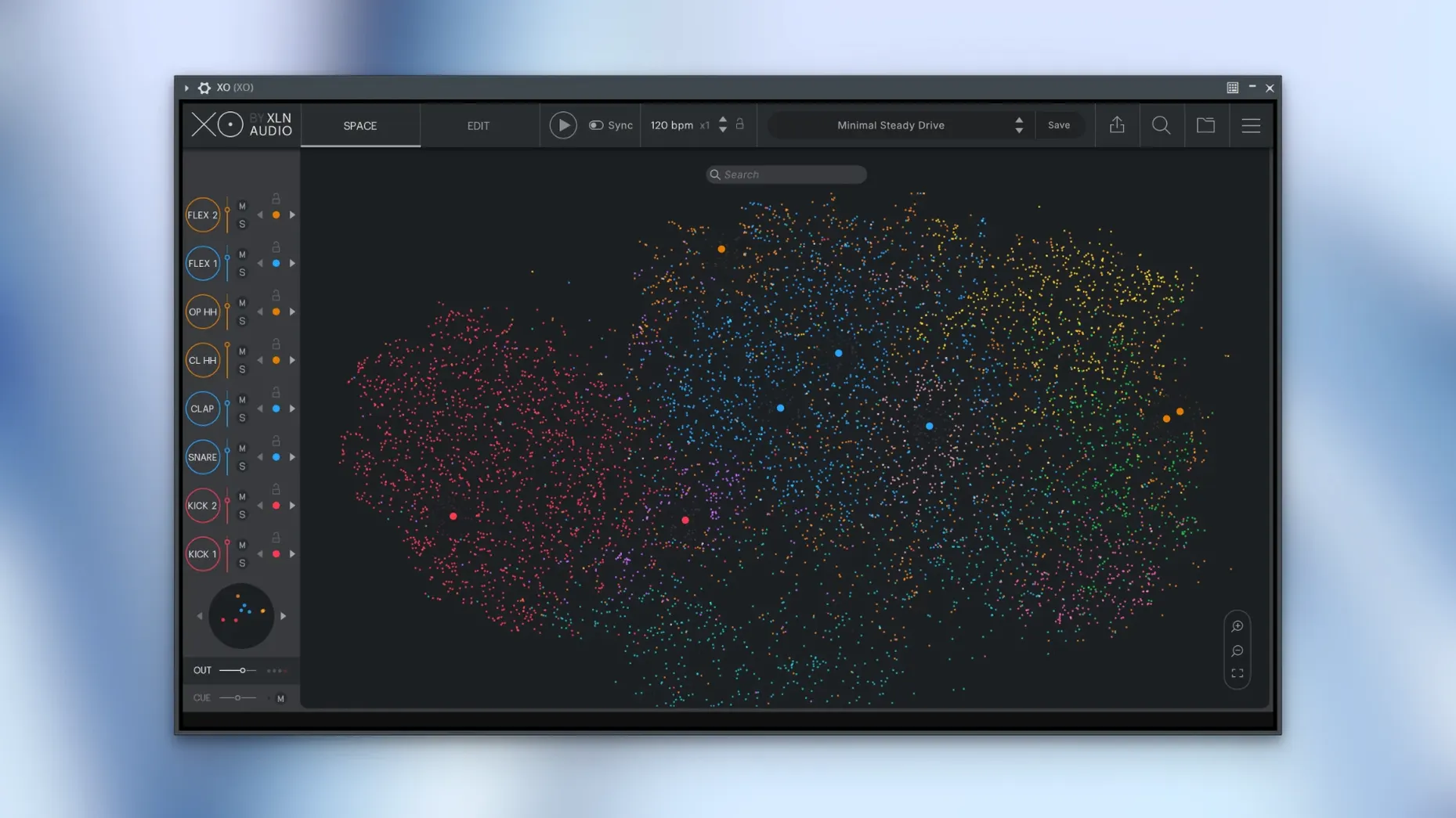
The plugin comes with over 8,000 one-shot samples and 240 editable presets. The browser does not just list folders — it maps sounds by similarity, which cuts down the time you spend clicking through snares that all sound the same. Once you have a kit, you build patterns in the internal sequencer, then tweak them with Accentuator, a built-in shaper that pulls sounds forward or pushes them back in the groove. Playground mode lets you swap and re-pitch hits while the pattern runs. When you are done, you can export audio or MIDI straight to your DAW timeline.
Running it day to day
XO stays out of the way. On an Apple Silicon Mac the interface opens within a couple of seconds — the slow start-up bug mentioned in the 1.8.10 notes seems properly squashed. Memory use sits around 400 MB with a full kit loaded, which is reasonable given the sample count it indexes. I have not seen it spike during playback, even with Accentuator working across all eight lanes.
CPU load depends almost entirely on what you ask the sequencer to do. A straight four-on-the-floor pattern barely registers. Layering three kicks, shakers and a busy hi-hat lane with Accentuator active nudges a single core up by maybe 8-10 percent. It is not a lightweight plugin, but it is not the one that will make your session choke either.
Stability is solid. Version 1.8.10 fixed an audio export issue that could occur while the host transport was running, and in practice dragging patterns out mid-playback now works without glitches. I have thrown it between several plugin formats in the same session — AU in Logic, VST in Live — and it has not crashed once.
Start your drum ideas here, then drag MIDI or audio into the DAW
XO works best as the first stop in a drum workflow. Open it on an instrument track, find your sounds, build a pattern, then drag the MIDI or audio into your DAW and carry on with mixing. You do not have to keep the plugin open once the parts are exported, which keeps the session tidy.
It plays well with other XLN stuff if you already use Addictive Drums or Addictive Keys — the sample browser logic feels familiar, though XO is strictly one-shot territory. You can route individual lanes out to separate DAW channels for processing, so dropping a favourite compressor or saturator on just the kick is straightforward. macOS integration is what you would expect: it shows up as an audio unit, respects Core Audio buffer settings, and does not demand any special permissions or workarounds.
A quick search for xln audio xo torrent or xo torrent suggests plenty of people try before they commit. The plugin's indexing of your own sample folders — not just the built-in 8,000 — makes it sticky once you hear what it can do with sounds you already own.
A quick session, start to finish
I open Live, drop XO onto a MIDI track, and let it scan the factory library. The Space view lights up with clustered dots — kicks in one cloud, snares in another, percussion scattered around the edges. I click a kick dot near the centre of its cluster. It hits hard and clean, so I drag it to lane one.
I browse snares by hopping between nearby dots. Three clicks later I land on a rim shot that cuts through without sounding thin. Lane two. Hi-hats are trickier — the Space shows a dense ring of similar-sounding samples. I switch to Playground mode, let the sequencer run, and swap hats on the fly until one locks into the groove. Lane three.
The sequencer is already playing a preset pattern I tweaked earlier. I turn Accentuator up a notch on the snare lane, pulling it slightly ahead of the beat. The whole thing snaps tighter. I add a shaker from a quieter corner of the Space, mute it, unmute it, decide it works. Four lanes, thirty seconds of listening, and I have a groove I would have spent ten minutes assembling from folder lists.
I drag the MIDI onto a DAW track, close XO, and route the parts to individual channels. The plugin has done its job and it is out of the picture. If you have been looking for a xln audio xo crack mac or a xln audio xo free download just to test the workflow, the sample organisation alone makes it worth the time.
Requirements
- macOS 10.13 or later
- Intel or Apple Silicon Mac
- VST, AU or AAX host (or standalone use)
Comments 0
Sign in or create an account to leave a comment.
No comments yet…
If you’ve installed it, say how it went. Mention your Mac and macOS version — it helps the next person more than you’d think.