Depth Scanner for macOS
Description
You've got a locked-off shot and the brief asks for a subtle 3D parallax move — pushing into the frame without a full camera solve. Drop Depth Scanner onto your footage layer and let it work out what's close and what's far.
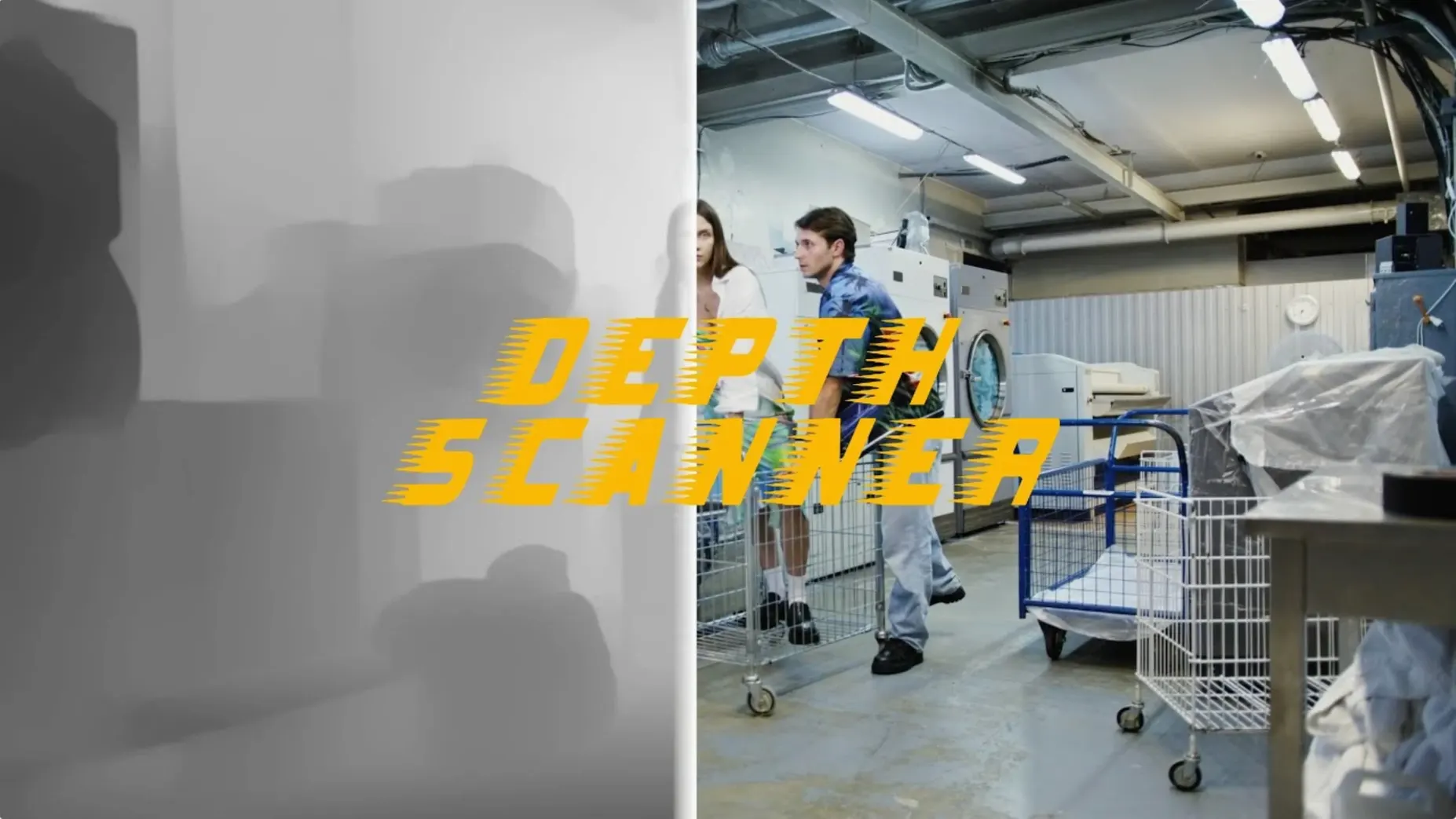
Generate a depth map
Apply the plugin to a single frame or a whole clip. It analyses the image and builds a greyscale map where white means near, black means far.
Drive a camera move
Feed the depth map into a displacement effect or a 3D layer setup. A gentle scale-up with the map as a matte gives you that cheap-but-convincing parallax push.
Fake lens blur
Switch to full resolution before final render
Depth Scanner ships with defaults that lean towards speed, not polish. A few tweaks right after installation save you re-rendering later.
- Model resolution. By default it works at half-res to keep previews snappy. For final output, switch to Full in the effect controls. The edge detail improvement is noticeable on hair and foliage.
- Output mode. The plugin defaults to a greyscale matte. If you plan to drive a 3D camera rig directly, set it to Depth Pass (inverted) so black maps to near — most After Effects camera systems expect it that way. Less swearing at keyframes.
- Temporal smoothing. Turned off out of the box. For video clips with subtle movement, bump it to 2 or 3 frames. It stops the depth map flickering between frames without softening edges into soup.
Don't bother adjusting the Edge refinement slider until you've seen the first render. Over-sharpened depth edges make composites look cut-out.
Apply it to a pre-comp, not a grade-heavy clip
You've installed it and rendered one test shot. Here's what makes the next forty-eight hours less irritating.
- Pre-comp before you depth-map. Apply Depth Scanner to a pre-comp, not a raw clip with a dozen colour corrections stacked above it. The AI model reads pixel values, not your grade. A clean plate gives you a cleaner map.
- Check your alpha. If your footage has transparency at the edges, fill the background with a solid that matches the average scene tone. Depth Scanner interprets empty alpha as near-black and places it right at the camera — exactly where you don't want it.
- Render depth passes overnight. A full-res depth pass on a two-minute clip takes time. Queue it up in the render panel before you leave. You'll have a 16-bit EXR sequence ready to reuse, instead of recalculating every time the client changes their mind about the blur radius.
- Combine with a garbage matte. No depth model gets hair edges perfect. Draw a loose mask around tricky foreground elements and feather it. Use it to blend the generated map with a rough manual depth gradient. The composite holds up on a 4K monitor.
What you can try without buying a license
Runs native on Apple Silicon, no Rosetta needed
Yes. The plugin is a universal binary. It runs natively on Apple Silicon without Rosetta overhead, which matters when you're pushing full-resolution depth calculations through a long clip. Intel Macs are supported too, though render times reflect the older hardware.
Will it run inside a free After Effects alternative?
No. Depth Scanner is an After Effects plugin. It won't appear in DaVinci Resolve, Final Cut Pro or Premiere Pro. If you're hunting for a depth scanner 2 free download mac, you'll still need a working After Effects installation to host it. The plugin format simply doesn't translate to other hosts.
This is version 1.15.6, not the separate Depth Scanner 2
It's the original release, version 1.15.6. Depth Scanner 2 exists as a separate product with a different feature set. People searching for depth scanner 2 after effects free download mac sometimes land here — this version handles single-frame and clip-based depth generation without the real-time preview features of its successor. For straight depth map extraction, it does the job.
What's the catch with a depth scanner after effects free download?
There isn't one from a functionality standpoint. The plugin applies to your layer, computes the map, and hands you the result. No watermarks, no timeouts, no resolution caps. The only practical limit is render time: a complex frame at full resolution takes longer, same as any AI-based effect.
Plug the map into Camera Lens Blur or Frischluft. Rack focus between two points in the frame without touching a real lens.
Requirements
- macOS (exact version not specified by developer)
- Adobe After Effects
FAQ
What does a depth map let me do in After Effects?
It gives you a greyscale matte you can use to drive 3D parallax motion or depth-of-field blur effects, pulling the foreground away from the background.
Comments 0
Sign in or create an account to leave a comment.
No comments yet…
If you’ve installed it, say how it went. Mention your Mac and macOS version — it helps the next person more than you’d think.