
Commander One PRO for macOS
Description
Version 3.18.0 tidies up behaviour on macOS 27. Drag-and-drop works again, some non-English hotkeys now respond as they should, and general compatibility with the latest OS is better. That kind of housekeeping matters in a tool you reach for every day.
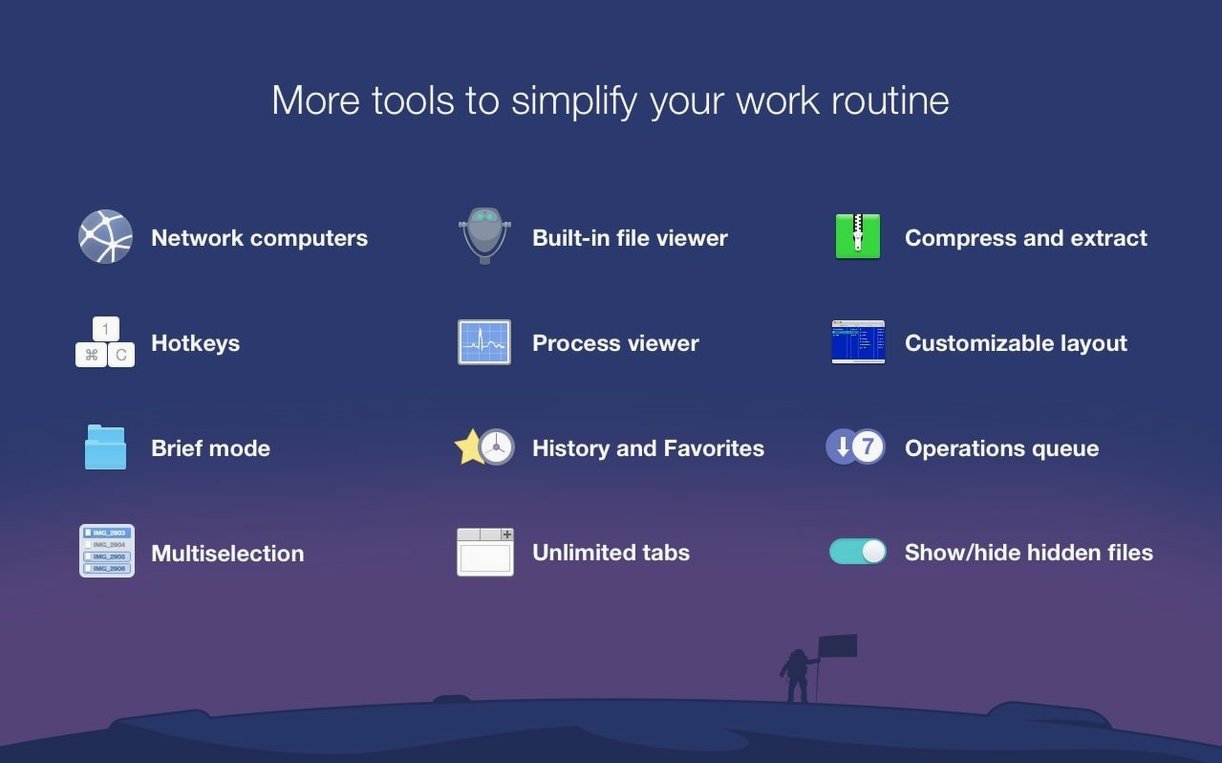
- Dual-pane and Brief Mode. Two folders side by side, or a compact list view that packs more filenames on screen. Moving files stops being a chore.
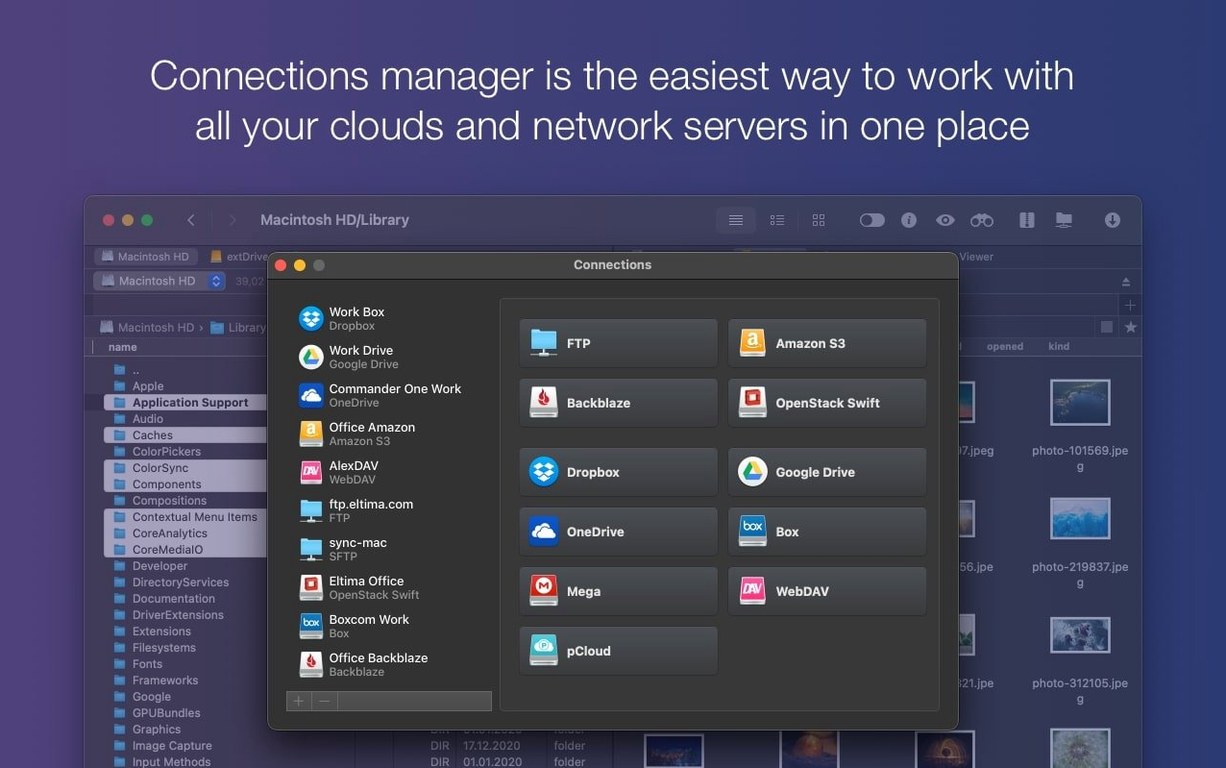
- FTP and cloud accounts. Connect to standard FTP servers or Amazon S3 buckets directly from the file list. No separate client needed.
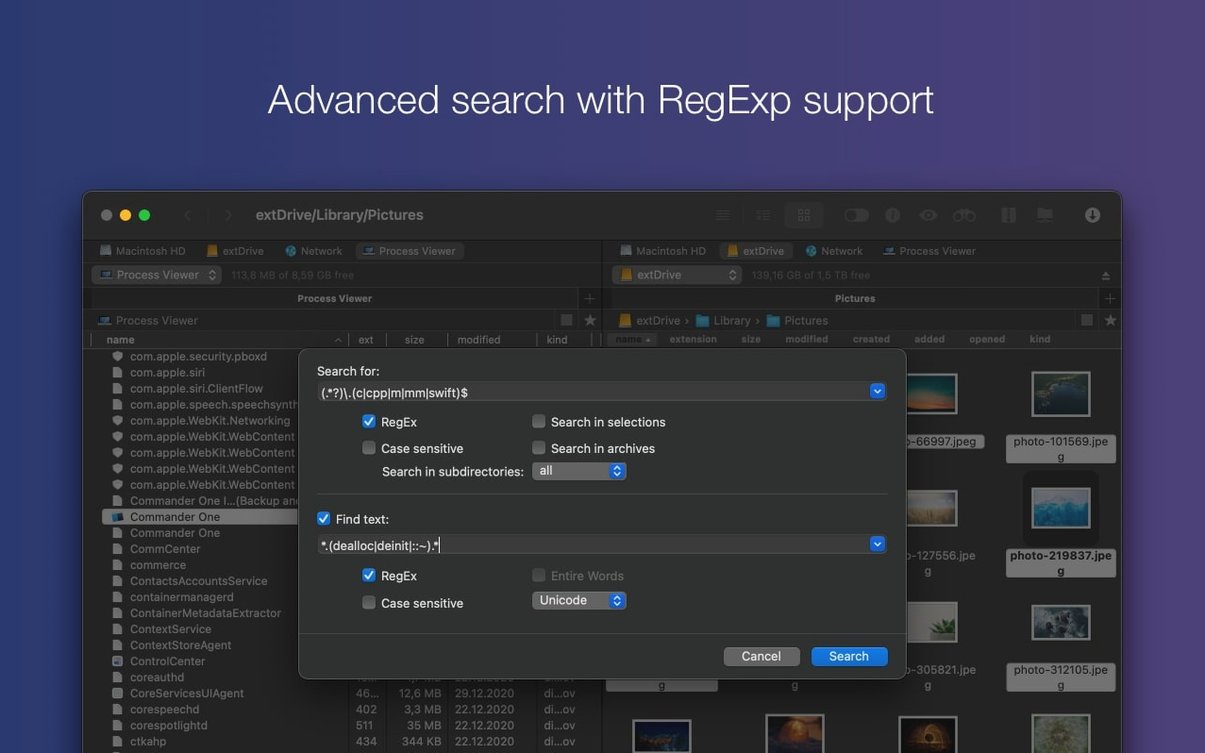
- Regex search. Find files by pattern, not just by name. Useful when you remember part of a filename but not the exact spelling.
- Hidden files toggle. Show or hide dotfiles with a single command. No Terminal tricks required.
- Process Viewer. A list of active processes on your Mac, right inside the file manager. Spot a misbehaving helper app without launching Activity Monitor.
It extends what the Mac's own file handling gives you, particularly when you deal with remote servers or large batches of files. Worth it if Finder feels like it's wearing oven gloves.
Flip on hidden files before you lose a dotfile
Open Preferences straight after the first launch. A few defaults are worth adjusting before you do any real work.
Switch on Show hidden files in the View tab. You will need dotfiles more often than you think, and toggling them from the menu every time gets old. Next, set the default editor for text files. Commander One ships pointing at TextEdit. Point it at something quicker — BBEdit, CotEditor, whatever you actually use.
In the General tab, tick Quit completely on window close. Without it the app lingers in the Dock, which is fine if you want fast reopen times, but annoying if you like a clean Alt-Tab list. Also check the Brief Mode font size. The default is readable, but on a 13-inch screen dropping it one size lets you see more filenames without scrolling.
If you plan to use the Process Viewer, open it once and sort by CPU descending. The app remembers the column sort next time.
Renaming thirty screenshots and sending them to Google Drive
You open Commander One Pro because you have thirty screenshots with gibberish names and they need to land in a client's Google Drive folder. Here is how that goes.
- Left pane: your Desktop. Right pane: press Cmd+R to bring up the connections dialog, pick Google Drive from the list. The pane fills with the remote folder tree.
- Select the thirty PNGs in the left pane. The selection count shows at the bottom.
- Press F5 to copy them across. A small progress popover appears — transfer speed, files done, files remaining.
- While the upload runs, switch the right pane to Brief Mode with Cmd+2. The compact list confirms the files are arriving without taking up the whole window.
- Upload finishes. Press Cmd+Shift+. to toggle hidden files visible. A stray
.DS_Storesnuck into the folder — delete it before the client sees it.
The whole job takes under a minute. No browser, no separate upload tool, no Finder windows layered on top of each other.
Grabbing every March 2024 backup from an S3 bucket
A web developer keeps site backups as dated ZIP archives on an Amazon S3 bucket. The bucket holds two years of weekly snapshots, and the naming convention is site_YYYY-MM-DD.zip. She needs to pull all files from March 2024.
She connects the right pane to S3, then hits Cmd+F and switches the search to regex mode. The pattern site_2024-03-\d{2}\.zip returns exactly five files in under a second. She selects them all, presses F5 to copy to a local archive folder, and the downloads queue up. While they transfer, she opens the Process Viewer in the left pane to check why a Node script is eating CPU. Turns out it is a stale watcher process from yesterday. She kills it from the right-click menu and gets back to the downloads.
It is a small workflow, but it skips three separate tools. That is the point of a dual-pane manager with remote storage baked in. Some people look for a commander one pro full mac setup precisely for this kind of connected file management — no extra FTP clients, no web consoles, just panes and keyboard shortcuts. A Commander One PRO crack might circulate online, and the build here handles archives, cloud connections and process monitoring in one window, which is what most users actually need. That integration is what makes a commander one pro mac workflow feel coherent rather than patched together.
What’s new
Adds better macOS 27 compatibility. Fixes drag-and-drop on macOS 27. Fixes handling of some hotkeys with non-English keyboard layouts.
Requirements
- macOS 10.13 or later
- Apple Silicon and Intel 64-bit
FAQ
Does Commander One PRO work with cloud services?
Yes. It can connect to Amazon S3 and other cloud accounts, treating them like local folders.
Comments 0
Sign in or create an account to leave a comment.
No comments yet…
If you’ve installed it, say how it went. Mention your Mac and macOS version — it helps the next person more than you’d think.