

Adobe XD for macOS
Description
A designer opens a comp from a colleague and needs to turn static artboards into a clickable prototype by lunch. Adobe XD was built for exactly that: wireframing, visual design and interactive prototyping in one vector-based app.
macOS 10.15 Catalina minimum, runs on Apple Silicon
XD requires macOS 10.15 Catalina or later, and runs natively on both Intel and Apple Silicon Macs. Adobe moved the app to maintenance mode, so it gets bug fixes and minor workflow improvements but no new features. The current version 59.0.12 still opens and edits XD files normally.
Repeat grid, responsive resize and auto-animate built in
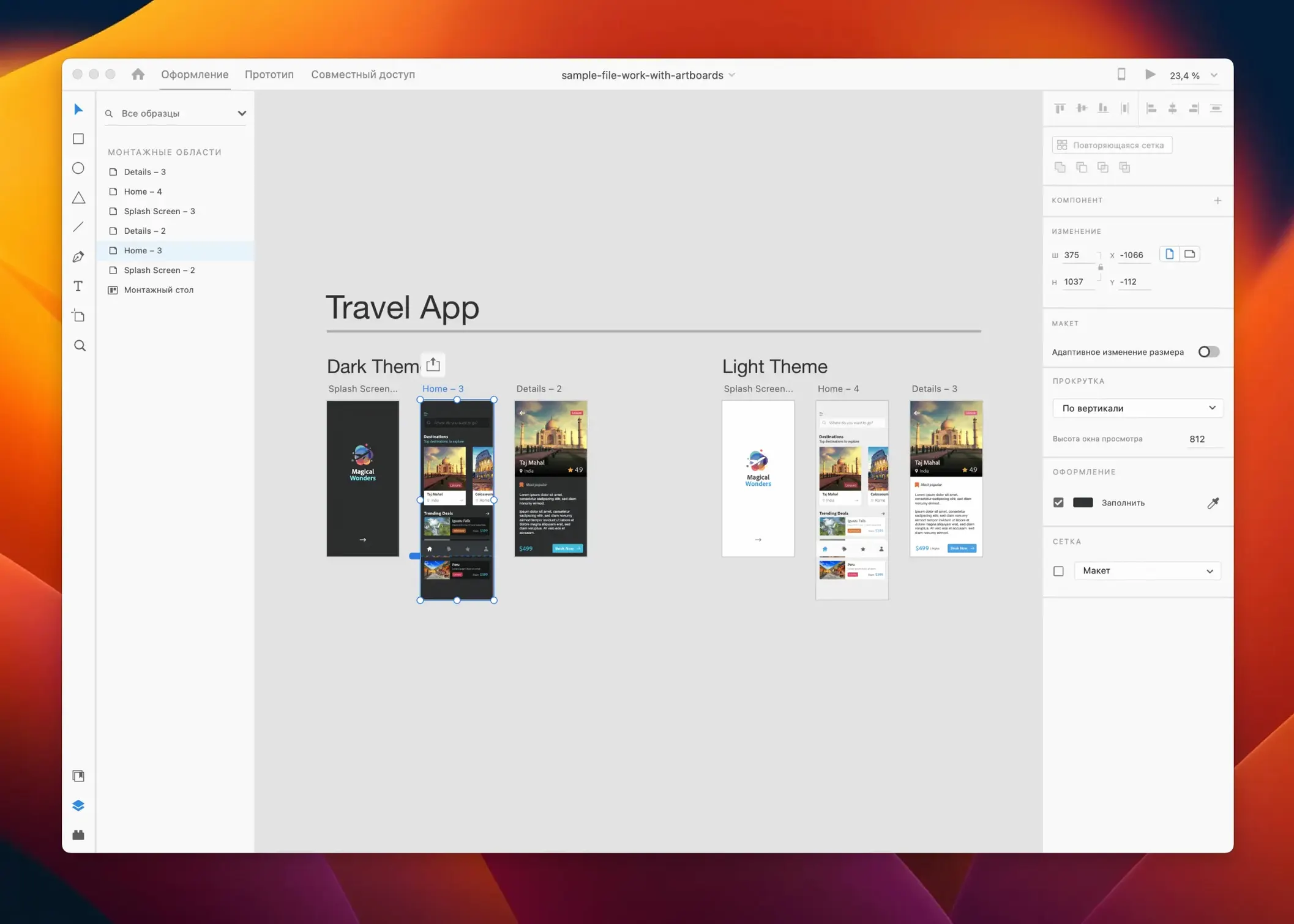
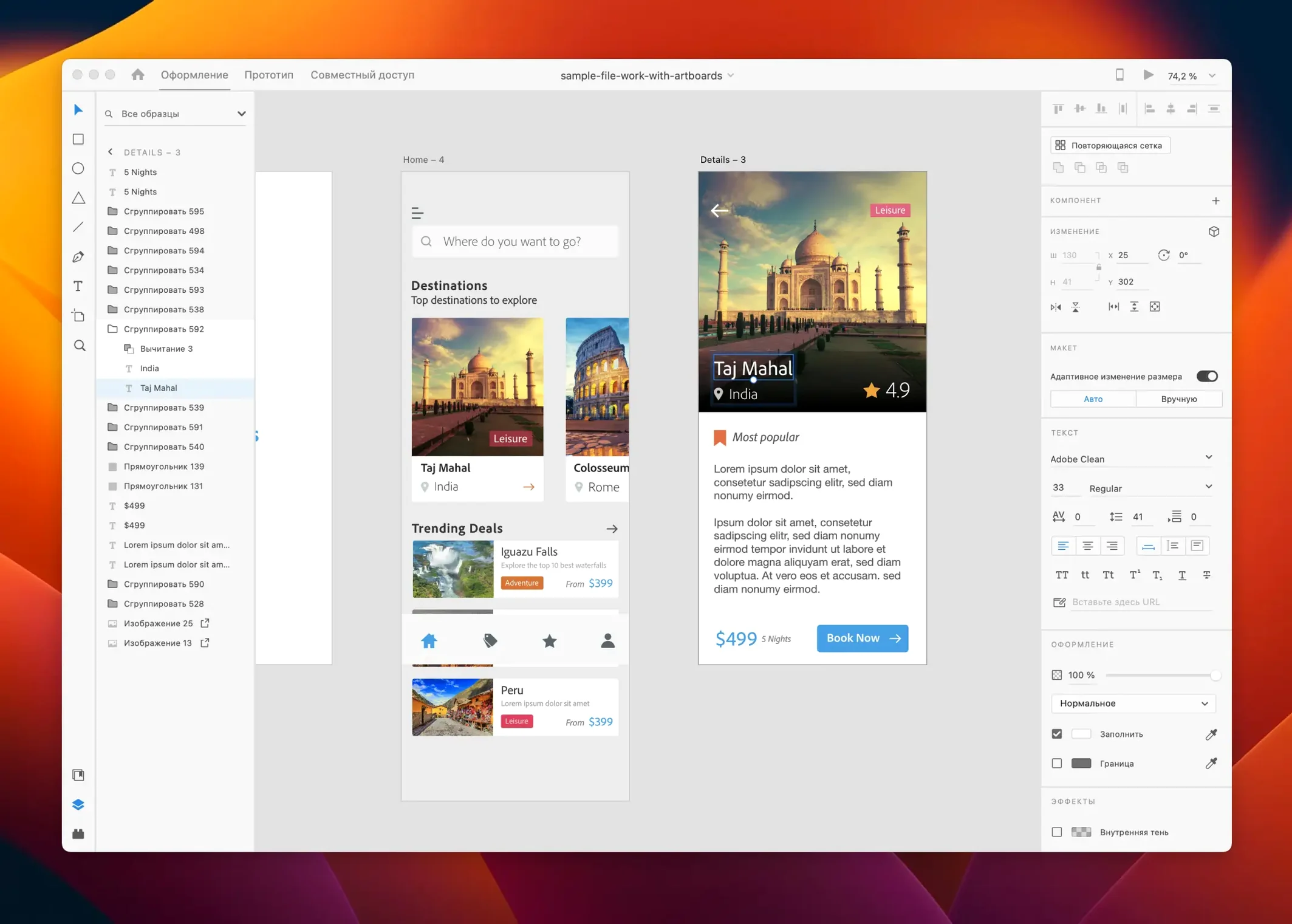
You get a vector design surface with tools built for screen work: repeat grid for lists and galleries, responsive resize that adapts components to different artboard sizes, and auto-animate to create transitions between screens. Prototypes can be shared for review without the viewer needing XD. The app supports third-party integrations and cloud-based extensions. Interface languages include English, German, French, Spanish, Japanese, Korean, Portuguese, Russian and Chinese.
Adobe has not added feature-level changes to XD for some time. The July 2025 update (version 59.0.12) is what Adobe calls a maintenance release — bug fixes and small workflow tweaks rather than new panels or tools. In daily use this means the auto-animate prototyping you built a year ago still plays back without hiccups, and shared links still load for stakeholders. One quiet fix addressed an intermittent crash when pasting large repeat grids between documents, which used to trip up designers juggling multiple artboard-heavy files.
Another small improvement smoothed out text rendering on scaled displays connected to Apple Silicon Macs — a nitpick that had annoyed people who dock a MacBook to a 4K monitor and suddenly saw blurry font previews. Nothing dramatic, but the kind of thing that keeps a production tool predictable.
Cold launch under four seconds on M1 and M2
XD launches cold in under four seconds on an M1 or M2 Mac. On older Intel machines with a mechanical drive, expect closer to ten. Once it's open, panning across a 40-artboard document stays smooth — the app leans on GPU rendering and does not redraw the whole canvas unless it has to. Memory use climbs with document complexity but rarely feels greedy. A 60-artboard prototype with embedded JPGs and linked components might sit around 1.2 GB of RAM. For most design laptops that is comfortable headroom.
Battery drain is not a headline number but it is noticeable during long review sessions: live previews and auto-animate playback keep the discrete GPU awake on MacBook Pro models that have one. If you are untethered and just editing vectors, it sips power like a standard design tool. The app has not beachballed on us during normal use, and the maintenance-mode label honestly means fewer new bugs because no one is churning the codebase. It is stable in the way a finished tool is stable.
Figma runs in a browser, XD stays local with cloud links
Figma is the obvious comparison. It runs in a browser, so cross-platform collaboration is immediate. XD shares via cloud links but the core app is local. Figma's component variants and auto-layout have outpaced XD's equivalent features, but XD's prototyping panel is still faster to wire up for quick flows — fewer clicks to link artboards and set triggers. For a solo designer who wants a single app for vectors and click-through demos, XD feels less fragmented.
Sketch is Mac-only and leans heavily on its plugin ecosystem. XD's extension panel is slimmer, though Adobe's cloud integrations with Libraries and Stock give it a different kind of reach. Sketch's symbol overrides are more mature, but XD's repeat grid handles list layout without a plugin. If you already pay for Creative Cloud, XD slots in without extra friction.
Penpot is open-source and web-based, with an SVG-native engine that appeals to developers. Its prototyping is catching up but still less polished. XD wins on animation smoothness and reviewer handoff — the shared prototype link experience is hard to fault. Penpot's strength is in developer handoff with code-ready CSS, but designers who do not need that extra layer will find XD's preview and comment workflow more straightforward.
A morning with an onboarding flow
Take a common task: designing a three-screen onboarding flow for a mobile app and turning it into a prototype for a client call.
- Open a new document at iPhone 14 artboard size. Pull brand colours from a shared Creative Cloud Library into the Assets panel so every rectangle and text layer starts with the right palette.
- Sketch the first screen — logo, headline, a two-sentence description and a "Get Started" button. Group the elements, mark the button as a component, and duplicate the artboard twice for screens two and three.
- On the second artboard, swap the illustration by dragging a new image from Finder into the repeat grid placeholder. Edit the text in place. The responsive resize settings keep the layout intact instead of throwing everything to the top-left corner.
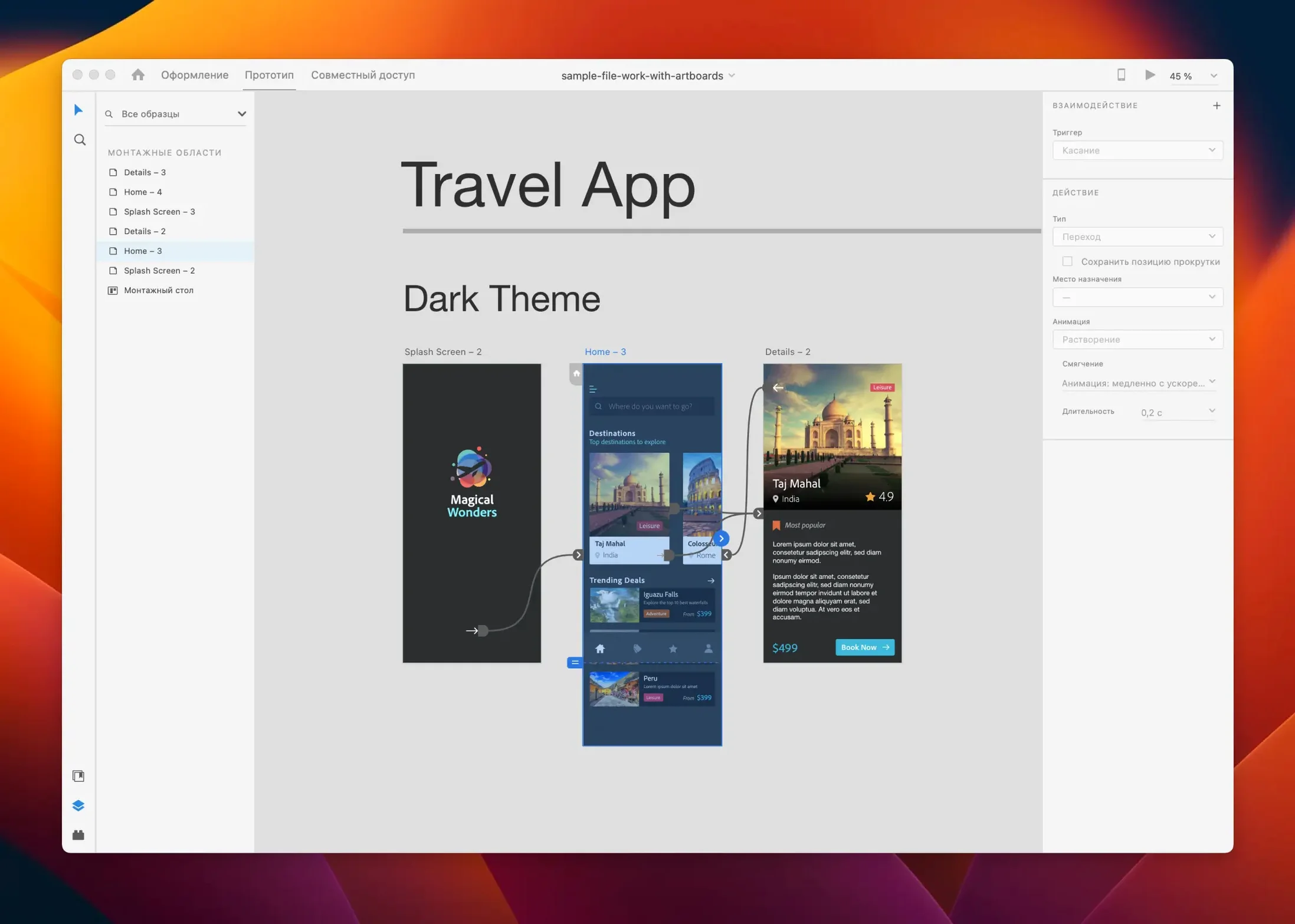
- Wire the prototype: switch to Prototype mode, drag a blue wire from the button on screen one to artboard two, set the trigger to Tap and the animation to Auto-Animate with a 0.3-second ease-out. Repeat for screens two to three.
- Add a subtle dissolve between screen three and screen one so the flow loops during playback. Hit the desktop preview button — the prototype opens in a resizable window, interactions feel native-speed, and you can hand the Mac to a colleague for a sanity check.
- Click Share, choose a link-access level, and copy the URL into the client's Slack channel. They click it in a browser, tap through the flow, leave a comment on the second screen's button label, and you see the comment in XD's panel within a minute.
The whole session, from blank canvas to shared link, takes under twenty minutes. That is where XD earns its keep — not in deep design-system work, but in rapid wireframe-to-prototype sprints where the tool stays out of the way.
What’s new
Fixes bugs and improves a few small workflow details.
Requirements
- macOS 10.15 Catalina or later
- Intel and Apple Silicon Macs supported
- Interface languages: Russian, English, German, Spanish, Chinese (Simplified), Korean, Portuguese, French, Japanese
FAQ
Is Adobe XD still getting updates?
Yes, but only in maintenance mode — the July 2025 release delivered bug fixes and minor workflow improvements, with no new features planned.
Comments 0
Sign in or create an account to leave a comment.
No comments yet…
If you’ve installed it, say how it went. Mention your Mac and macOS version — it helps the next person more than you’d think.
More in Mac Apps
All in Mac Apps-
 Adobe Premiere Rush
1.5.62
Adobe Premiere Rush
1.5.62
-
 Affinity Designer
2.6.5
Apple Silicon
Affinity Designer
2.6.5
Apple Silicon
-
 Adobe Premiere Pro
26.5.2
Apple Silicon
Adobe Premiere Pro
26.5.2
Apple Silicon
-
 Affinity Photo
2.6.5
Apple Silicon
Affinity Photo
2.6.5
Apple Silicon
-
 Adobe Photoshop
27.11
Apple Silicon
Adobe Photoshop
27.11
Apple Silicon
-
 Affinity Publisher
2.6.5
Apple Silicon
Affinity Publisher
2.6.5
Apple Silicon
-
 Adobe Media Encoder
26.5.0
Apple Silicon
Adobe Media Encoder
26.5.0
Apple Silicon
-
 Adobe Lightroom Classic
15.6.0
Apple Silicon
Adobe Lightroom Classic
15.6.0
Apple Silicon