
macOS Catalina for macOS
Description
You plug an iPad into your desk setup, open System Preferences, and ten seconds later it's a second display with its own Touch Bar. That's Catalina in a nutshell — it ties the hardware you already own together a little tighter. This Mac OS Catalina torrent carries 10.15.7 (19H15), built for Intel Macs; the installer starts from macOS 10.9 or later.
What happened to iTunes?
Apple split it into three separate apps: Music, TV, and Podcasts. Device backups and sync now live in a Finder sidebar pane when you plug in an iPhone or iPad.
Can my iPad work as a second screen?
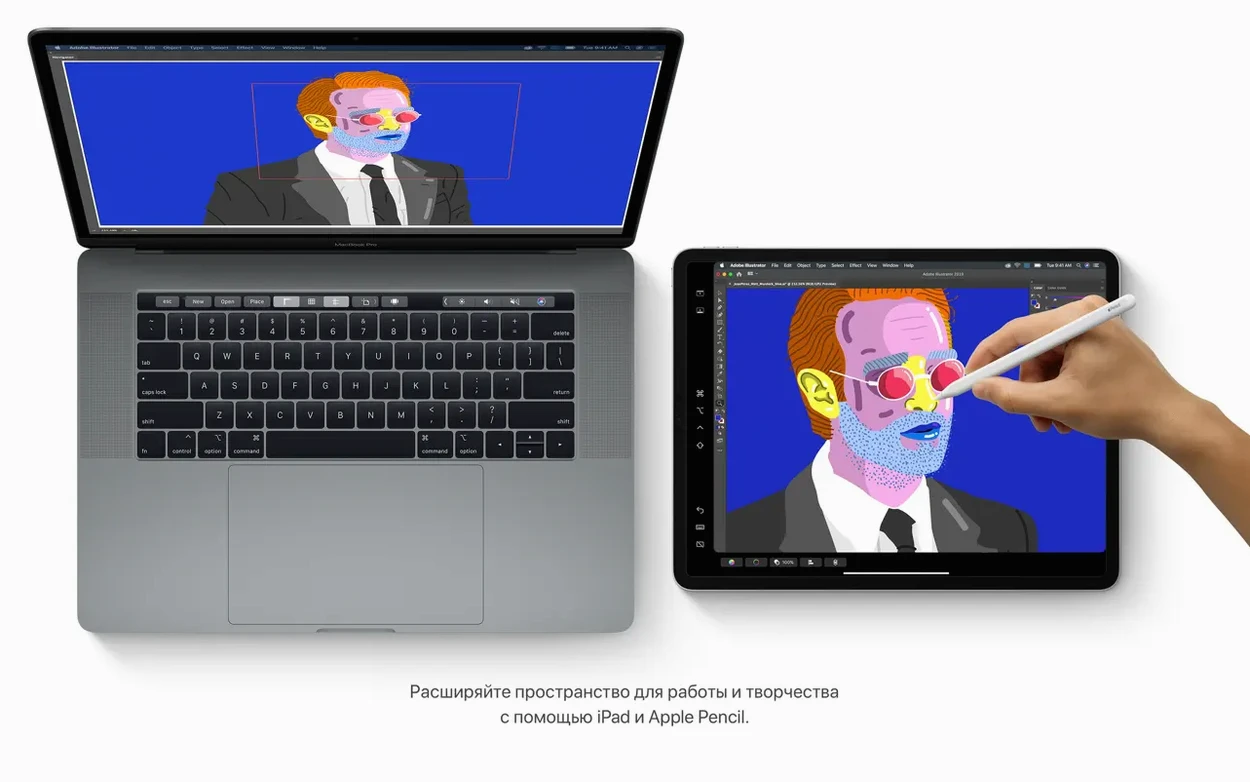
Yes — it's called Sidecar. It extends or mirrors your desktop wirelessly, and works with the Apple Pencil for apps that support pressure sensitivity.
What changed in Notes and Reminders?
Notes gained a gallery view with visual thumbnails, and its search now finds text in scanned documents and recognises objects in photos. Reminders added date, location, flag, and attachment fields with editing controls that no longer feel like an afterthought.
Turn off automatic window restoration first
Out of the box Catalina makes choices that suit a laptop, not always a desk. Three tweaks I apply before anything else.
Turn off "Reopen windows when logging back in." Apple ticks this by default. It restores every document and Finder window from your last session, which is helpful on a MacBook Air but just junks up a desktop restart. Uncheck it in System Preferences > Users & Groups > Login Options.
Set the sidebar to show your hard disk. Finder hides the boot volume by default. Go to Finder > Preferences > Sidebar and tick "Hard disks" under Locations. You'll thank yourself the first time you need to drag something to the root of the drive.
Dial back Siri's suggestions. System Preferences > Siri > Siri Suggestions & Privacy. Untick the apps you don't want Siri to watch. It's not a privacy panic — it just keeps the notification centre cleaner.
Copy the installer before you double-click
Catalina doesn't hold your hand as much as Mojave did. A few things catch people out.
- Running the installer from the disk image. You mount the DMG and double-click the installer right there. Don't. Copy it to the Applications folder first, then eject the image. Running it in-place often fails halfway through with an unhelpful error.
- Ignoring the 32-bit cutoff. Catalina dropped all 32-bit app support. If you migrate from Mojave or earlier without checking, you'll find old games and utilities simply won't open. No warning dialogue, just a circle-with-a-line-through-it icon. System Report > Software > Legacy Software gives you the list before you upgrade.
- Trusting that iCloud Drive will just work. The 10.15.7 update fixed a sync bug, but Catalina still wants a stable broadband connection for iCloud features. Don't rely on it to sync a project five minutes before a deadline on café Wi‑Fi.
- Forgetting that Sidecar needs a compatible iPad. It works with Apple Pencil‑capable models running iPadOS 13 or later. An iPad Air 2 won't cut it.
Verifying apps in a pure 64-bit environment
Three groups stand to gain more than most from a Catalina install.
Developers testing the 64-bit transition. Having a clean Catalina volume is still the quickest way to verify that an app bundle runs in a pure 64-bit Intel environment. No virtualisation layer, no Rosetta 2. Just the real thing on a 2015 MacBook Pro or a Late 2013 Mac Pro.
People with an iPhone and no desire to open iTunes. The Finder-based backup and sync workflow is simpler than iTunes ever was. Plug in the phone, click it in the sidebar, and you have a single pane for backups, updates, and file transfers. If you only connect your iPhone to the Mac once a week, Catalina makes that interaction feel less like a chore.
Designers and illustrators with an iPad. Sidecar turns the iPad into a pressure‑sensitive Cintiq substitute for apps that support it. It's not perfect — there's a faint compression artefact over wireless — but for sketching in Illustrator or marking up a PDF, it's fast enough. The Touch Bar appears at the bottom of the iPad screen even if the Mac itself doesn't have one, which gives you scrub controls in apps like Final Cut Pro without buying new hardware.
The mac os catalina download dmg route also suits anyone running a headless Mac mini on a shelf. Install it, enable Screen Sharing, and you have a file server that still talks to modern Apple services without the overhead of a newer OS. Some users keep a Catalina torrent around precisely for that purpose — a lightweight Intel build that doesn't phone home with the frequency of later releases.
What’s new
Adds security updates and bug fixes. Fixes an issue where macOS would not automatically connect to Wi-Fi networks. Resolves a problem that could prevent files syncing through iCloud Drive. Addresses a graphic issue on iMac (Retina 5K, 27-inch, 2020) with Radeon Pro 5700 XT.
Requirements
- Intel-based Mac
- macOS 10.9 or later to run the installer
- 4 GB memory
- 12.5 GB available storage when upgrading from OS X El Capitan 10.11.5 or later
Comments 0
Sign in or create an account to leave a comment.
No comments yet…
If you’ve installed it, say how it went. Mention your Mac and macOS version — it helps the next person more than you’d think.